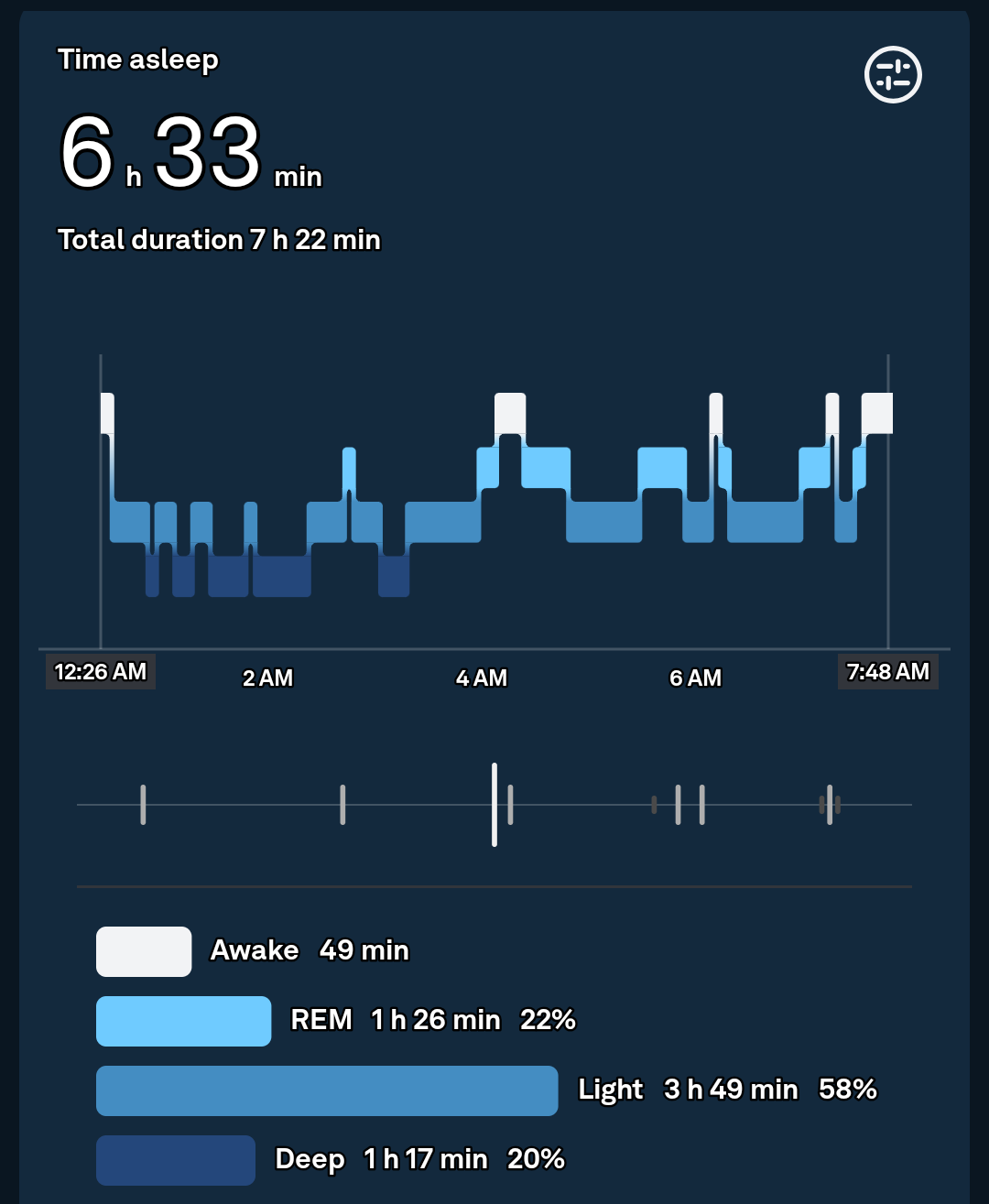
Learn how to interpret your sleep stages data from a fitness tracker and improve recovery, energy, and overall health.
Sleep tracking has gone from a “nice-to-have” feature to one of the most powerful tools in modern wearable tech. In 2026, your smartwatch doesn’t just tell you how long you slept — it breaks down how well you slept, using advanced Bio-sensors, AI algorithms, and continuous monitoring.
Look, I’ve worn devices like the Apple Watch Series 11 and Samsung Galaxy Watch 8 for two weeks straight so you don’t have to guess. And here’s the real talk: most people look at their sleep score… and completely misunderstand what it means.
In this expert guide from wearfit.xyz, we’ll break down exactly how to interpret your sleep stages data from a fitness tracker, so you can actually use it to improve recovery, fitness, and long-term health.
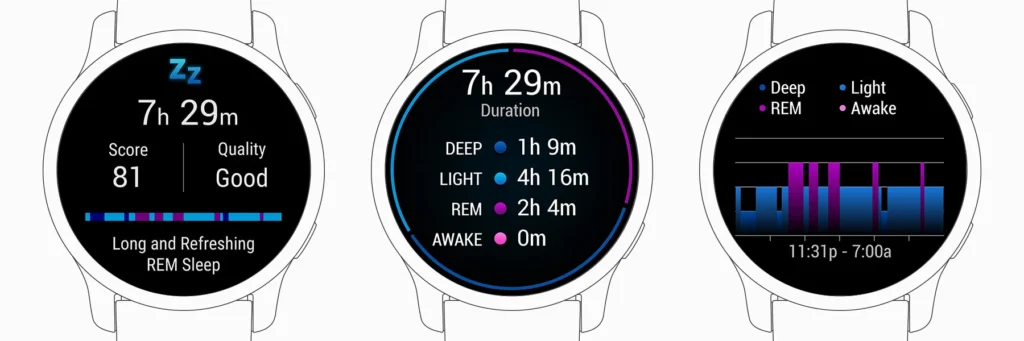
Why Sleep Stage Data Matters More in 2026
Modern wearables now track:
- Heart Rate Variability (HRV) during sleep
- SpO2 levels (oxygen saturation)
- Breathing patterns
- Skin temperature
- Movement and restlessness
All of this feeds into AI-driven sleep analysis.
Your sleep is now a core health metric, influencing:
- Muscle recovery
- Fat loss
- Cognitive performance
- Stress levels
If your sleep data is off — everything else suffers.
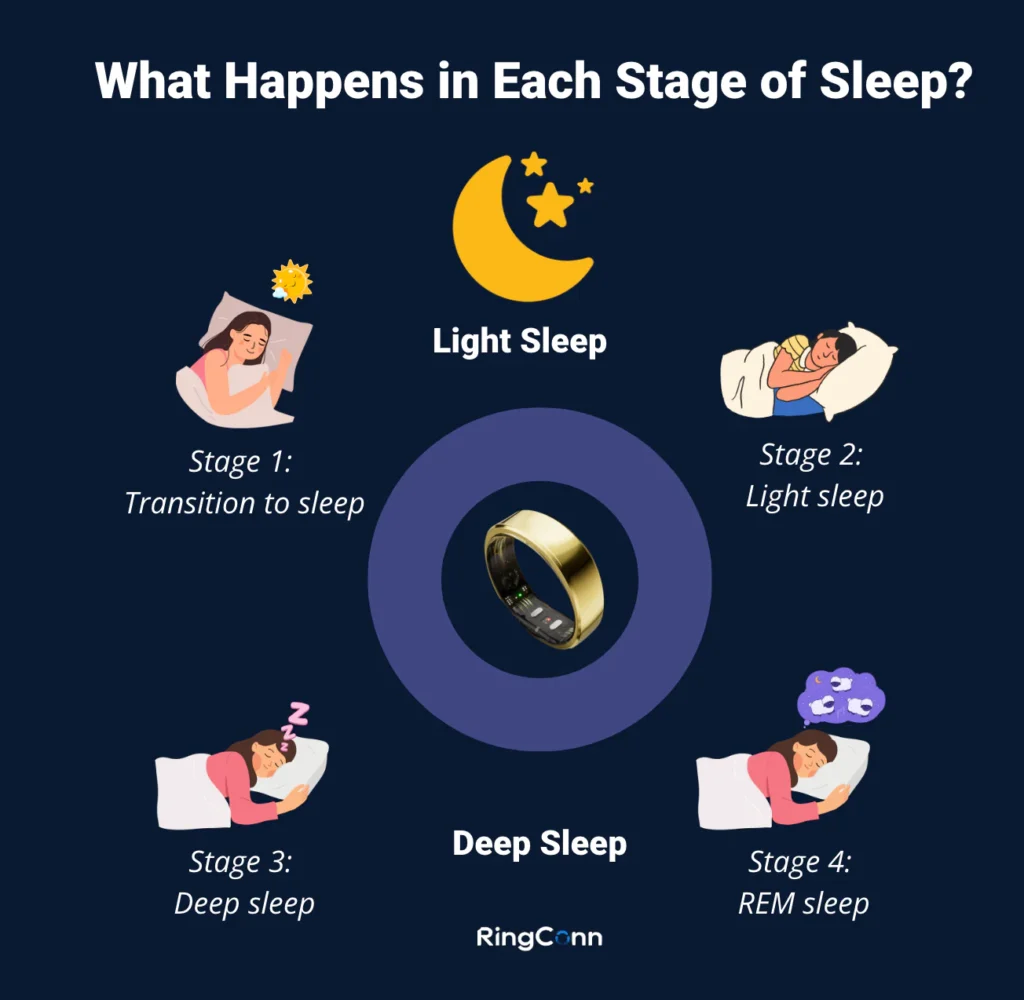
Understanding Sleep Stages (The Foundation)
Before interpretation, you need to know the basics.
Light Sleep
- Occurs early and throughout the night
- Easy to wake from
- Helps with mental recovery
Deep Sleep
- Physical repair stage
- Muscle growth and recovery
- Critical for athletes
REM Sleep
- Dream stage
- Cognitive processing
- Memory consolidation
Awake Time
- Brief awakenings during the night
- Often unnoticed
Fitness trackers estimate these using:
- Heart rate patterns
- HRV changes
- Movement data
- SpO2 fluctuations
It’s not perfect — but it’s surprisingly accurate when used consistently.
Sleep Tracking Comparison (2026 Devices)
| Feature | Apple Watch Series 11 | Samsung Galaxy Watch 8 | Fitbit Sense 3 |
|---|---|---|---|
| Sleep Stages | Yes | Yes | Yes |
| HRV Tracking | Advanced | Advanced | Excellent |
| SpO2 Monitoring | Yes | Yes | Yes |
| Sleep Score | Yes | Yes | Best-in-class |
| AI Insights | Strong | Strong | Very Strong |
Key Insight: Fitbit still leads in sleep analytics, but Apple and Samsung are closing the gap fast.
How to Read Your Sleep Data (The Right Way)
This is where most people get it wrong.
Don’t Focus Only on Total Sleep Time
8 hours doesn’t mean quality sleep.
Instead, look at:
- Deep sleep duration
- REM cycles
- HRV trends
- Resting heart rate
Understand Normal Ranges
Here’s a rough guideline:
- Light Sleep: 50–60%
- Deep Sleep: 15–25%
- REM Sleep: 20–25%
If your deep sleep is consistently low — that’s a red flag.
Look at Trends, Not One Night
One bad night means nothing.
Patterns over 7–14 days = real insight.
Combine Metrics for Context
For example:
- Low HRV + poor deep sleep = fatigue
- High HRV + strong REM = good recovery
This is where wearable data becomes powerful.
Step-by-Step: How to Interpret Your Sleep Stages Data from a Fitness Tracker
Let’s break it down into a practical system.
Step 1: Check Your Sleep Score (But Don’t Stop There)
Use it as a quick overview — not the final answer.
Step 2: Analyze Sleep Stages Breakdown
Look at:
- Deep sleep → physical recovery
- REM → mental recovery
- Light sleep → overall balance
Step 3: Review HRV During Sleep
Higher HRV = better recovery.
Lower HRV = stress, fatigue, or overtraining.
Step 4: Check SpO2 Levels
Consistent drops may indicate:
- Breathing issues
- Poor sleep quality
Step 5: Monitor Resting Heart Rate
Lower during sleep = good recovery.
Higher = stress or illness.
Step 6: Compare With Your Daily Activity
Did you:
- Work out hard?
- Eat late?
- Use screens before bed?
Your sleep data reflects your lifestyle.
Step 7: Adjust and Track Changes
Make small changes:
- Sleep earlier
- Reduce caffeine
- Improve bedtime routine
Then track results.
This is where real improvement happens.
Real-World Insights (From Testing Multiple Devices)
Here’s what I learned after testing:
- First few nights are often inaccurate
- Consistency improves accuarcy significantly
- HRV is the most underrated metric
- Sleep scores can be misleading without context
Also — here’s something most people ignore:
Your sleep tracker is a guide, not a medical device.
Use it for trends, not diagnosis.
Advanced Sleep Optimization Tips
Use Sleep Scheduling Features
Most watches now suggest optimal sleep windows.
Enable Smart Wake Alarms
Wake up during light sleep for better energy.
Track Sleep Environment
Temperature, noise, and light matter more than you think.
Sync With Health Platforms
Use apps like:
- Apple Health
- Google Fit
This improves data analysis across devices.
Combine Sleep and Fitness Data
Your workouts directly affect your sleep stages.
The Role of AI in Sleep Tracking (2026)
Here’s where things get next-level.
Modern wearables now use:
- Predictive sleep scoring
- Recovery recommendations
- Stress detection
- Adaptive coaching
For example:
- Suggesting earlier bedtime after poor HRV
- Adjusting workout intensity based on sleep
- Identifying long-term sleep debt
Your smartwatch is becoming a sleep coach.
Common Mistakes to Avoid
Obsessing Over Daily Scores
Focus on trends, not perfection.
Ignoring HRV
It’s one of the most valuable metrics.
Wearing Watch Incorrectly
Loose fit = bad data.
Not Updating Software
Updates improve sensor performance.
Expecting Medical Accuracy
These are consumer devices — not lab equipment.
Sleep Optimization Checklist
Before you go to bed tonight:
- Watch fully charged
- Snug fit on wrist
- Sleep mode enabled
- Notifications minimized
- Room optimized for sleep
Simple steps — big impact.
Final Verdict: Is Sleep Data Worth Tracking?
Absolutely.
Learning how to interpret your sleep stages data from a fitness tracker is one of the most powerful upgrades you can make to your health.
Because sleep affects:
- Fitness performance
- Mental clarity
- Hormonal balance
- Long-term wellness
And once you understand your data, you stop guessing — and start optimizing.
Ready to Take Control of Your Sleep?
If you want deeper insights into wearable tech, sleep optimization, and real-world testing — visit wearfit.xyz.
It’s the ultimate hub for anyone serious about upgrading their lifestyle through health technology.
Start tracking smarter. Sleep better. And turn your nights into your biggest advantage.
Because better sleep isn’t luck — it’s data-driven.