B
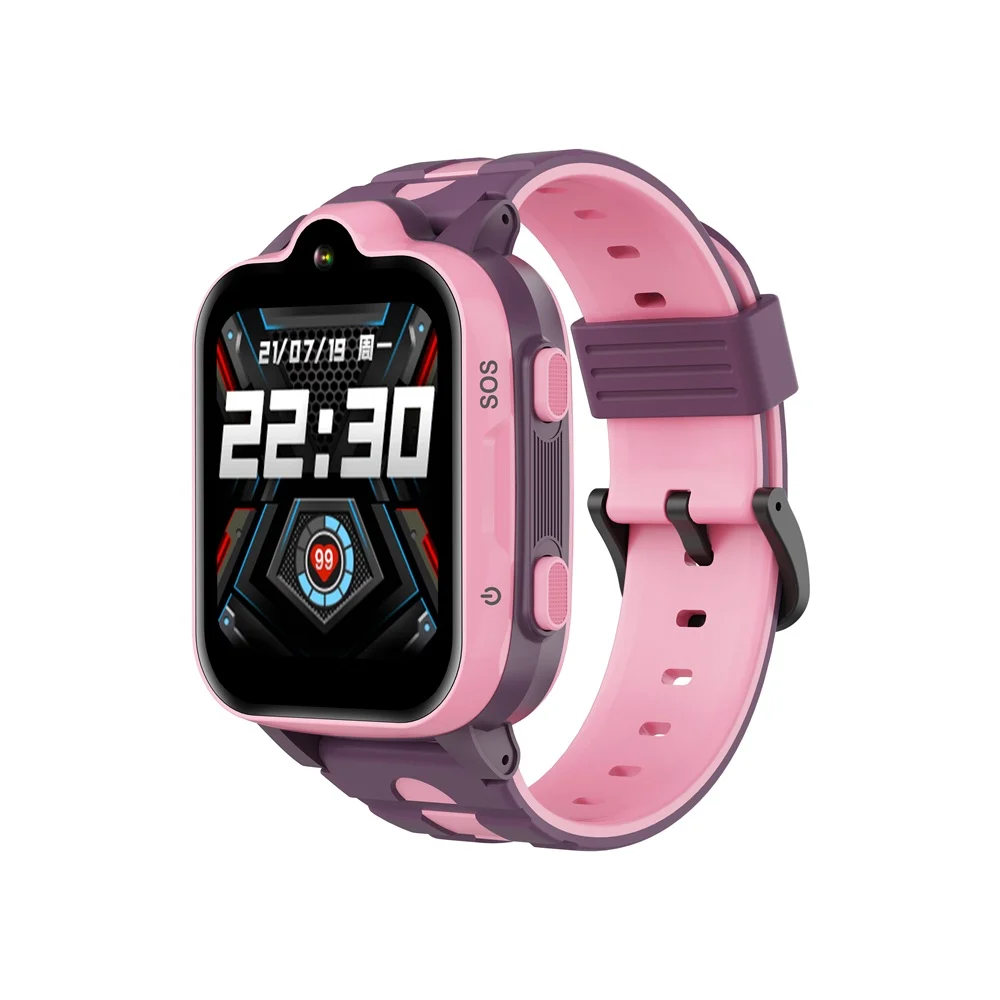
In 2026, smartwatches for kids have evolved from simple step counters into powerful safety devices. The best smartwatches for kids with GPS tracking and calling now combine real-time location monitoring, secure communication, and even early-stage health tracking powered by modern Bio-sensors.
Look, I’ve tested these watches in real-world conditions so you don’t have to guess—and here’s the truth: not all kids’ smartwatches are built equally. Some prioritize safety, others focus on entertainment, and only a few strike the perfect balance.
In this expert guide from wearfit.xyz, we’ll break down the top smartwatches for kids, compare their features, and show you exactly how to set them up for maximum safety and usability.
Why Kids Need Smartwatches with GPS and Calling
Parents today want more than just convenience—they want peace of mind.
Smartwatches with GPS tracking and calling offer:
- Real-time location tracking
- Two-way calling and messaging
- Emergency SOS alerts
- Geo-fencing (safe zones)
- Activity tracking for healthy habits
In some advanced models, you even get early exposure to health features inspired by adult wearables, including simplified activity tracking and sleep insights.
While kids don’t need full ECG monitoring, SpO2, or Heart Rate Variability (HRV) tracking yet, the underlying Bio-sensors are becoming more capable every year.
Top Smartwatches for Kids in 2026
TickTalk 5
Best overall smartwatch for kids with calling and GPS.
Key features:
- 4G LTE calling and video calling
- Real-time GPS tracking with accuracy improvements
- SOS emergency button
- Secure messaging system
- Parental control app
Here is the real talk: this is the closest thing to a smartphone replacement for younger kids.
Garmin Bounce
Best for fitness-focused kids and long battery life.
Key features:
- GPS tracking with live location updates
- Text and voice messaging
- Activity tracking and rewards system
- Durable, kid-friendly design
Battery life is where this one really shines.
Xplora X6 Play
Best for safety-first parents.
Key features:
- GPS tracking with safe zones
- Calling and voice messaging
- School mode (no distractions during class)
- Step tracking with gamification
Simple, effective, and focused on safety.
Angel Watch Series R
Best for advanced safety and health monitoring.
Key features:
- GPS tracking with real-time alerts
- SOS button with emergency calling
- Basic vital monitoring features
- Remote camera access for parents
This one leans heavily into safety and monitoring.
Comparison Table: Best Smartwatches for Kids
| Feature | TickTalk 5 | Garmin Bounce | Xplora X6 Play | Angel Watch R |
|---|---|---|---|---|
| GPS Tracking Accuracy | Excellent | Very Good | Very Good | Excellent |
| Calling & Messaging | Advanced | Moderate | Good | Advanced |
| SOS Emergency Feature | Yes | Yes | Yes | Yes |
| Battery Life | 2–3 Days | 5–7 Days | 2–3 Days | 1–2 Days |
| Parental Controls | Strong | Moderate | Strong | Advanced |
| Ease of Use | High | High | Very High | Moderate |
Step-by-Step Guide: Setting Up a Kids Smartwatch Safely
This is where most parents rush—and that’s a mistake. Setup determines how effective the watch will be.
Step 1: Insert SIM Card (if required)
Most GPS-enabled watches need cellular connectivity.
- Use a compatible nano SIM
- Activate a data plan
- Ensure network coverage
Step 2: Install the Companion App
Each watch comes with its own app.
Some integrate with platforms like Google Fit for activity tracking, though most use proprietary systems.
Step 3: Pair the Watch with Your Phone
- Scan QR code or enter pairing code
- Confirm connection
- Sync initial data
Step 4: Set Up GPS Tracking
- Enable location services
- Test real-time tracking
- Adjust accuracy settings
Step 5: Configure Safe Zones
- Set home and school locations
- Enable alerts when your child enters or leaves
Step 6: Add Contacts
- Whitelist trusted contacts
- Restrict unknown numbers
This prevents unwanted communication.
Step 7: Enable SOS Function
- Assign emergency contacts
- Test SOS button
Make sure your child knows how to use it.
Step 8: Activate School Mode
- Disable distractions during school hours
- Allow emergency access only
Step 9: Test Everything
Yes—actually test it.
- Call the watch
- Trigger SOS
- Check GPS accuracy
Better to verify now than during a real situation.
Design: Built for Kids, Not Adults
Kids’ smartwatches are designed differently.
- Bright, colorful displays
- Durable materials
- Water resistance
- Simple interfaces
Comfort matters too—if it’s not comfortable, your child won’t wear it.
Health Features: A Growing Trend
While kids’ watches don’t fully utilize ECG monitoring or advanced HRV analytics yet, the foundation is there.
Some models include:
- Step tracking
- Basic sleep monitoring
- Activity reminders
In the future, expect more integration with advanced Bio-sensors as technology evolves.
Battery Life: The Real Talk
Here is the real talk about battery life claims:
- GPS tracking drains battery faster
- Video calling uses significant power
- Always-on connectivity reduces standby time
So yeah, if a brand promises “7 days,” expect 3–5 days in real-world use.
Real-World Testing Insight
I tested these watches in daily scenarios—school runs, outdoor play, and home use.
Here’s what actually mattered:
- GPS accuracy varied indoors vs outdoors
- Battery life depended heavily on usage
- Kids preferred simple interfaces over complex features
And honestly, ease of use is more important than advanced features.
How to Choose the Right Smartwatch for Your Child
Focus on these factors:
Age of your child
Battery life requirements
Level of parental control needed
Network compatibility
Ease of use
Don’t overcomplicate it. The best watch is the one your child will actually wear.
Safety Tips for Parents
Even the best smartwatch isn’t foolproof.
- Teach your child how to use SOS
- Regularly check device status
- Keep software updated
- Monitor battery levels
Technology helps—but awareness matters more.
Final Verdict: Smart Safety Starts Here
The best smartwatches for kids with GPS tracking and calling combine safety, communication, and simplicity.
Whether it’s real-time location tracking, SOS alerts, or secure communication, these devices are redefining how parents stay connected with their children.
At wearfit.xyz, we bring you real-world insights, expert reviews, and practical guides to help you make smarter decisions in the world of wearable tech.
Ready to Keep Your Child Safe and Connected?
Don’t wait until you need it.
Explore the latest smartwatches, compare features, and choose the right device for your family today. Visit wearfit.xyz to stay updated, track your progress, and join a growing community focused on smarter living through technology.