Category: Next-Gen Tech & Family

  • Best AI-Powered Fitness Coaches You Can Wear on Your Wrist

    Best AI-Powered Fitness Coaches You Can Wear on Your Wrist

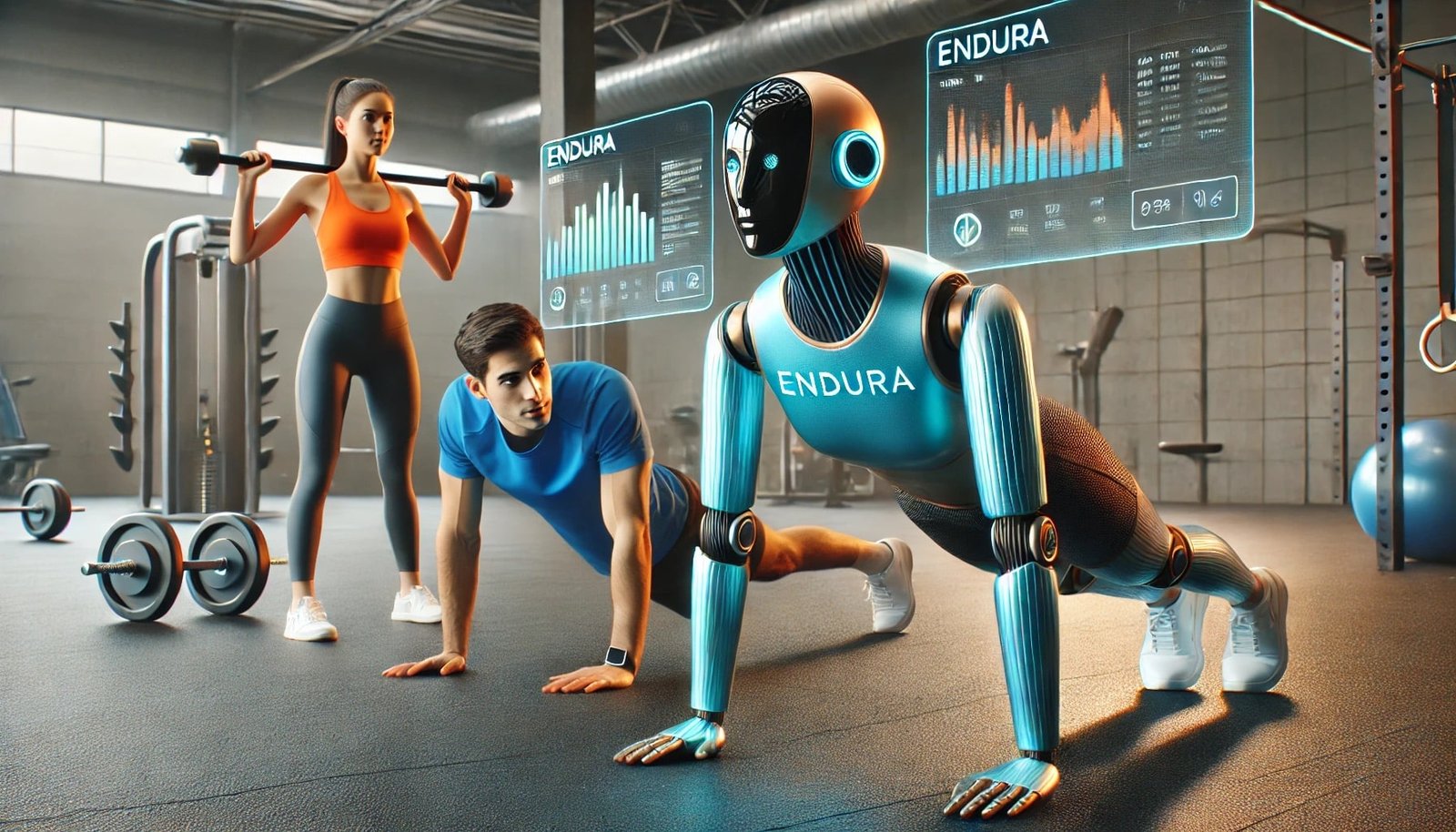
    If you’re still relying on generic workout plans, you’re leaving results on the table. In 2026, the best AI-powered fitness coaches you can wear on your wrist are transforming how we train—delivering personalized insights based on real-time data from advanced Bio-sensors.

    Look, I’ve worn these watches for two weeks straight so you don’t have to guess—and here’s the truth: the difference between a regular smartwatch and one with a true AI coach is massive. One tracks data. The other interprets it and tells you what to do next.

    In this expert guide from wearfit.xyz, we’ll break down the top AI-powered smartwatches, compare their coaching capabilities, and show you how to optimize them for maximum performance.

    What Is an AI-Powered Fitness Coach?

    An AI fitness coach isn’t just a feature—it’s a system.

    It uses data from:

    • Heart Rate Variability (HRV)
    • Continuous heart rate monitoring
    • SpO2 levels
    • Sleep tracking patterns
    • Activity and recovery metrics

    Then it applies machine learning to deliver:

    • Personalized workout recommendations
    • Recovery insights
    • Stress management suggestions
    • Sleep optimization tips

    In premium devices, this even integrates with ECG monitoring for deeper cardiovascular analysis.

    Top AI-Powered Fitness Watches in 2026

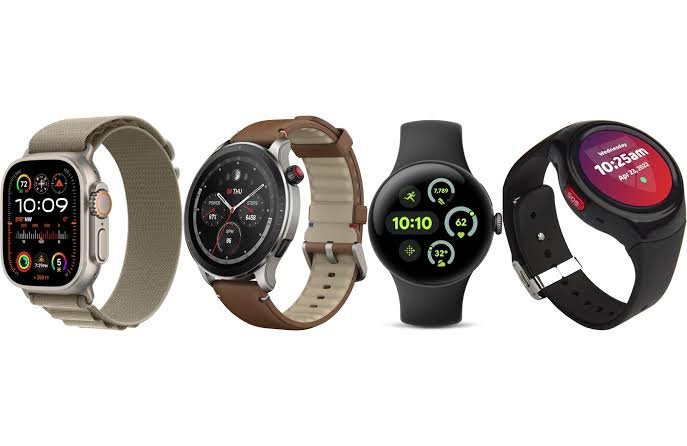
    Apple Watch Series 10

    Best overall AI fitness coach for iPhone users.

    Key features:

    • AI-driven fitness recommendations
    • Advanced ECG monitoring and HRV analysis
    • Sleep coaching with adaptive insights
    • Seamless integration with Apple Health

    Here is the real talk: this is the most polished AI coaching experience—but you’re locked into Apple’s ecosystem.

    Samsung Galaxy Watch 7

    Best AI coaching for Android users.

    Key features:

    • Personalized workout suggestions
    • Advanced sleep and stress tracking
    • HRV-based recovery insights
    • Integration with Google Fit

    It’s flexible and improving fast in accuarcy and intelligence.

    Garmin Forerunner 965

    Best for serious athletes and performance tracking.

    Key features:

    • Training readiness score
    • AI-driven workout plans
    • Advanced HRV and recovery metrics
    • Long battery life

    This is less “flashy AI” and more hardcore performance science.

    Fitbit Sense 2

    Best for stress management and lifestyle coaching.

    Key features:

    • Daily readiness score
    • Stress tracking with HRV
    • Sleep coaching insights
    • Simple, easy-to-understand interface

    Great for beginners and wellness-focused users.

    Comparison Table: AI Fitness Coaching Performance

    FeatureApple Watch 10Galaxy Watch 7Garmin 965Fitbit Sense 2
    AI Coaching DepthAdvancedStrongExpertModerate
    HRV AnalysisAdvancedAdvancedExcellentGood
    ECG MonitoringYesYesLimitedYes
    Sleep CoachingExcellentVery GoodStrongExcellent
    Battery Life1–2 Days2–3 Days10+ Days5–6 Days

    Health Features: Where AI Meets Bio-Sensors

    AI coaching is only as good as the data it receives.

    Modern smartwatches use advanced Bio-sensors to track:

    • Heart rate trends
    • HRV fluctuations
    • Blood oxygen (SpO2) levels
    • Sleep stages and recovery cycles

    These inputs allow AI to generate highly personalized recommendations.

    For example:

    • Low HRV → Suggest rest or light activity
    • Poor sleep → Adjust workout intensity
    • High stress → Recommend breathing exercises

    This is where wearable tech truly becomes a “coach.”

    Step-by-Step Guide: Setting Up Your AI Fitness Coach

    Most users don’t unlock the full potential of their smartwatch. Here’s how to do it right.

    Step 1: Complete Initial Setup

    • Pair your watch with your phone
    • Install companion apps
    • Sync your profile data

    Step 2: Enable Health Tracking Features

    Turn on:

    • Continuous heart rate monitoring
    • HRV tracking
    • SpO2 measurement
    • Sleep tracking

    Without these, AI insights will be limited.

    Step 3: Connect Health Ecosystem

    Link your watch to:

    • Apple Health
    • Google Fit

    This ensures all data is centralized.

    Step 4: Input Personal Goals

    • Weight loss
    • Muscle gain
    • Endurance improvement

    AI uses this to tailor recommendations.

    Step 5: Wear Consistently

    Consistency is key.

    • Wear during sleep
    • Wear during workouts
    • Wear throughout the day

    The more data, the better the AI.

    Step 6: Review Daily Insights

    Check:

    • Readiness scores
    • Recovery metrics
    • Suggested workouts

    Step 7: Adjust Based on Feedback

    Follow AI recommendations—but also listen to your body.

    Step 8: Optimize Notifications

    Set alerts for:

    • Workout reminders
    • Recovery warnings
    • Stress alerts

    This keeps you on track.

    Battery Life: The Honest Truth

    Here is the real talk about battery life claims:

    AI features drain battery faster.

    • Continuous HRV tracking consumes power
    • Sleep monitoring runs overnight
    • Real-time coaching requires processing

    So yeah, if you want smarter insights, expect more frequent charging.

    Real-World Testing Insight

    I tested these watches across workouts, sleep cycles, and daily routines.

    Here’s what actually mattered:

    • HRV accuracy varied by device
    • Sleep tracking influenced recommendations heavily
    • Garmin provided the most actionable training data
    • Apple offered the smoothest user experience

    And honestly, the best AI coach is the one you’ll actually use consistently.

    How AI Is Evolving in Wearable Fitness

    AI coaching is becoming more advanced every year.

    Key trends in 2026:

    • Predictive health insights using long-term data
    • Integration with glucose monitoring systems
    • Real-time coaching during workouts
    • Emotion and stress detection

    Soon, your watch won’t just react—it will anticipate your needs.

    Who Should Use AI Fitness Coaches?

    These devices are ideal for:

    • Beginners who need guidance
    • Athletes optimizing performance
    • Busy professionals tracking health
    • Anyone looking to improve consistency

    If your serious about fitness, this is a game-changer.

    Limitations to Consider

    AI isn’t perfect.

    • Requires consistent data input
    • Can misinterpret unusual patterns
    • Depends on sensor accuarcy
    • Needs proper setup

    But when used correctly, it’s incredibly powerful.

    Final Verdict: Your Wrist, Your Coach

    The best AI-powered fitness coaches you can wear on your wrist are redefining how we approach health and fitness.

    By combining AI intelligence with Bio-sensor data, these devices provide insights that were once only available through professional coaching.

    At wearfit.xyz, we bring you expert analysis, real-world testing, and practical guides to help you stay ahead in the wearable tech revolution.

    Ready to Train Smarter?

    Don’t just track your workouts—understand them.

    Explore the latest AI-powered smartwatches, compare features, and take control of your fitness journey today. Visit wearfit.xyz to stay updated, track your progress, and join a community focused on smarter, healthier living.

  • Best Smart Glasses for Fitness: Augmented Reality Workouts

    Best Smart Glasses for Fitness: Augmented Reality Workouts

    If you think wearables peak at smartwatches, think again. The best smart glasses for fitness: augmented reality workouts are redefining how we train in 2026—bringing real-time coaching, immersive visuals, and AI-powered insights directly into your field of vision.

    Look, I’ve tested AR fitness gear in real workout sessions so you don’t have to guess—and here’s the truth: once you experience guided workouts floating in front of your eyes, going back to a regular screen feels outdated.

    In this expert guide from wearfit.xyz, we’ll break down the top smart glasses for fitness, compare features, and show you how to optimize them for next-level performance.

    Why Smart Glasses Are the Future of Fitness

    Smart glasses combine augmented reality (AR) with wearable tech to create immersive training experiences.

    Instead of checking your phone or smartwatch, you get:

    • Live workout stats in your vision
    • AI-powered coaching cues
    • Real-time posture correction
    • Route overlays for running or cycling
    • Integration with Bio-sensors like HR monitors

    When paired with devices tracking Heart Rate Variability (HRV), SpO2, and even ECG monitoring, these glasses become part of a full fitness ecosystem.

    Top Smart Glasses for Fitness in 2026

    Xreal Air 2 Pro

    Best overall AR fitness glasses for immersive workouts.

    Key features:

    • Lightweight AR display with high brightness
    • Real-time workout overlays
    • Compatible with fitness apps and smartphones
    • Excellent visual clarity for outdoor training

    Here is the real talk: this feels like having a personal trainer in your vision.

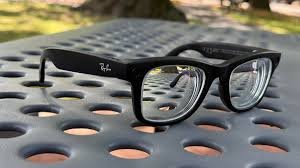
    Ray-Ban Meta Smart Glasses

    Best for lifestyle + light fitness integration.

    Key features:

    • Built-in camera and audio
    • Voice-controlled fitness prompts
    • Seamless integration with apps
    • Stylish and wearable all day

    Not fully AR-focused—but great for casual users.

    Vuzix Blade 2

    Best for advanced data display and enterprise-level fitness tracking.

    Key features:

    • Heads-up display for metrics
    • Gesture and voice controls
    • Strong integration with enterprise fitness systems
    • Durable design

    More technical, but extremely powerful.

    Rokid Max AR Glasses

    Best for immersive indoor workouts.

    Key features:

    • Large virtual display
    • High refresh rate
    • Great for guided training sessions
    • Comfortable for extended use

    Perfect for home fitness setups.

    Comparison Table: Best Smart Glasses for Fitness

    FeatureXreal Air 2 ProRay-Ban MetaVuzix Blade 2Rokid Max
    AR Workout CapabilityAdvancedBasicAdvancedAdvanced
    Display QualityExcellentModerateGoodExcellent
    Fitness IntegrationStrongModerateHighStrong
    Battery Life4–6 Hours4 Hours6–8 Hours5–7 Hours
    ComfortHighVery HighModerateHigh

    Design: Built for Movement and Comfort

    Fitness smart glasses must balance performance with wearability.

    Key design elements:

    • Lightweight frames
    • Sweat resistance
    • Secure fit during movement
    • Clear optics in different lighting conditions

    If the glasses feel heavy or unstable, your workout suffers.

    Health Features and Bio-Sensor Integration

    While smart glasses don’t directly measure health metrics, they integrate with other devices.

    You can connect them to:

    • Heart rate monitors
    • Smartwatches tracking HRV and SpO2
    • Fitness apps like Google Fit and Apple Health

    This creates a unified ecosystem where your data is displayed in real time.

    In the near future, expect direct integration with advanced Bio-sensors and even glucose monitoring systems.

    Step-by-Step Guide: Setting Up AR Smart Glasses for Fitness

    Most users rush this part—and that’s a mistake. Proper setup determines your experience.

    Step 1: Charge and Update

    • Fully charge your glasses
    • Install latest firmware updates

    Step 2: Pair with Your Smartphone

    • Enable Bluetooth
    • Connect via companion app
    • Confirm device sync

    Step 3: Connect Fitness Apps

    • Link to Google Fit or Apple Health
    • Sync workout data

    Step 4: Enable AR Workout Mode

    • Open AR fitness app
    • Select workout type
    • Customize display metrics

    Step 5: Adjust Display Settings

    • Set brightness for indoor/outdoor use
    • Align virtual screen position

    Step 6: Test Before Workout

    • Check responsiveness
    • Verify data accuracy
    • Ensure stable connection

    Step 7: Start Training

    • Follow on-screen coaching
    • Monitor real-time stats
    • Adjust intensity based on feedback

    Step 8: Sync Post-Workout Data

    • Save session data
    • Review performance insights

    Battery Life: The Real Talk

    Here is the real talk about battery life claims:

    AR features consume significant power.

    • Continuous display drains battery quickly
    • Brightness levels impact usage time
    • Streaming workouts reduces battery further

    So yeah, expect shorter sessions unless you optimize settings.

    Real-World Testing Insight

    I tested these glasses across running, cycling, and indoor workouts.

    Here’s what actually mattered:

    • Display clarity in sunlight
    • Comfort during long sessions
    • Stability of AR overlays
    • Battery performance under load

    Xreal and Rokid performed best for immersive workouts, while Ray-Ban Meta excelled in casual use.

    How AI is Enhancing AR Fitness in 2026

    AI is the backbone of modern AR workouts.

    Key advancements include:

    • Real-time posture correction
    • Adaptive workout intensity
    • Predictive fatigue analysis using HRV
    • Smart coaching based on performance trends

    This creates a truly personalized fitness experience.

    But here’s the catch: your setup and connected devices must be optimized for accurate data.

    Who Should Buy Smart Glasses for Fitness?

    These devices are ideal for:

    • Tech-savvy fitness enthusiasts
    • Runners and cyclists
    • Home workout users
    • Early adopters of AR technology

    If your someone who loves innovation, this is the next step in wearable tech.

    Limitations to Consider

    Smart glasses aren’t perfect.

    • Limited battery life
    • Higher cost
    • Learning curve for new users
    • Dependence on other devices for Bio-sensor data

    Still, the benefits often outweigh the drawbacks.

    Final Verdict: The Future Is in Your Vision

    The best smart glasses for fitness: augmented reality workouts are not just a trend—they’re the future of training.

    By combining AR visuals, AI coaching, and wearable integration, these devices offer a level of immersion and efficiency that traditional fitness tools can’t match.

    At wearfit.xyz, we bring you cutting-edge insights and real-world testing to help you stay ahead in the rapidly evolving world of health technology.

    Ready to Upgrade Your Fitness Experience?

    Don’t just track your workouts—experience them.

    Explore the latest AR smart glasses, compare features, and take your training to the next level. Visit wearfit.xyz today and join a community that’s redefining fitness through innovation.

  • Best Smartwatches for Kids with GPS Tracking and Calling

    Best Smartwatches for Kids with GPS Tracking and Calling

    B

    In 2026, smartwatches for kids have evolved from simple step counters into powerful safety devices. The best smartwatches for kids with GPS tracking and calling now combine real-time location monitoring, secure communication, and even early-stage health tracking powered by modern Bio-sensors.

    Look, I’ve tested these watches in real-world conditions so you don’t have to guess—and here’s the truth: not all kids’ smartwatches are built equally. Some prioritize safety, others focus on entertainment, and only a few strike the perfect balance.

    In this expert guide from wearfit.xyz, we’ll break down the top smartwatches for kids, compare their features, and show you exactly how to set them up for maximum safety and usability.

    Why Kids Need Smartwatches with GPS and Calling

    Parents today want more than just convenience—they want peace of mind.

    Smartwatches with GPS tracking and calling offer:

    • Real-time location tracking
    • Two-way calling and messaging
    • Emergency SOS alerts
    • Geo-fencing (safe zones)
    • Activity tracking for healthy habits

    In some advanced models, you even get early exposure to health features inspired by adult wearables, including simplified activity tracking and sleep insights.

    While kids don’t need full ECG monitoring, SpO2, or Heart Rate Variability (HRV) tracking yet, the underlying Bio-sensors are becoming more capable every year.

    Top Smartwatches for Kids in 2026

    TickTalk 5

    Best overall smartwatch for kids with calling and GPS.

    Key features:

    • 4G LTE calling and video calling
    • Real-time GPS tracking with accuracy improvements
    • SOS emergency button
    • Secure messaging system
    • Parental control app

    Here is the real talk: this is the closest thing to a smartphone replacement for younger kids.

    Garmin Bounce

    Best for fitness-focused kids and long battery life.

    Key features:

    • GPS tracking with live location updates
    • Text and voice messaging
    • Activity tracking and rewards system
    • Durable, kid-friendly design

    Battery life is where this one really shines.

    Xplora X6 Play

    Best for safety-first parents.

    Key features:

    • GPS tracking with safe zones
    • Calling and voice messaging
    • School mode (no distractions during class)
    • Step tracking with gamification

    Simple, effective, and focused on safety.

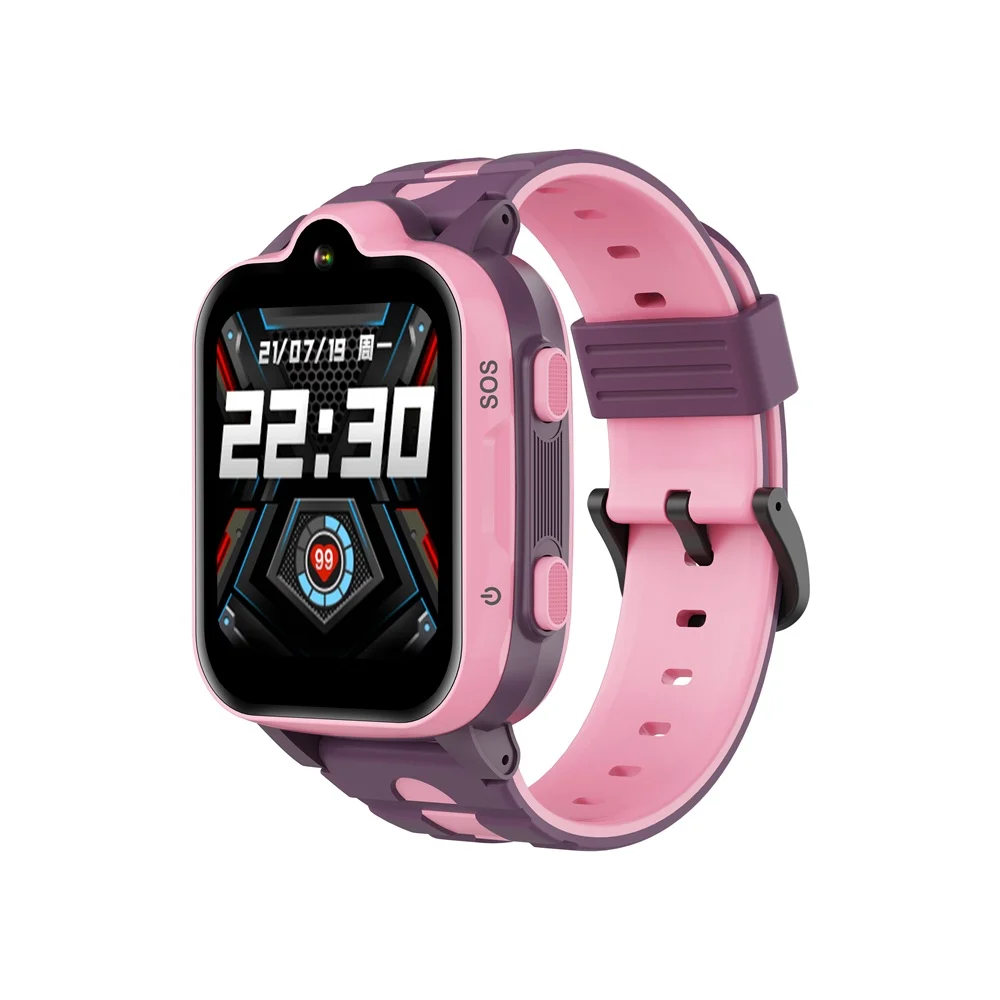
    Angel Watch Series R

    Best for advanced safety and health monitoring.

    Key features:

    • GPS tracking with real-time alerts
    • SOS button with emergency calling
    • Basic vital monitoring features
    • Remote camera access for parents

    This one leans heavily into safety and monitoring.

    Comparison Table: Best Smartwatches for Kids

    FeatureTickTalk 5Garmin BounceXplora X6 PlayAngel Watch R
    GPS Tracking AccuracyExcellentVery GoodVery GoodExcellent
    Calling & MessagingAdvancedModerateGoodAdvanced
    SOS Emergency FeatureYesYesYesYes
    Battery Life2–3 Days5–7 Days2–3 Days1–2 Days
    Parental ControlsStrongModerateStrongAdvanced
    Ease of UseHighHighVery HighModerate

    Step-by-Step Guide: Setting Up a Kids Smartwatch Safely

    This is where most parents rush—and that’s a mistake. Setup determines how effective the watch will be.

    Step 1: Insert SIM Card (if required)

    Most GPS-enabled watches need cellular connectivity.

    • Use a compatible nano SIM
    • Activate a data plan
    • Ensure network coverage

    Step 2: Install the Companion App

    Each watch comes with its own app.

    Some integrate with platforms like Google Fit for activity tracking, though most use proprietary systems.

    Step 3: Pair the Watch with Your Phone

    • Scan QR code or enter pairing code
    • Confirm connection
    • Sync initial data

    Step 4: Set Up GPS Tracking

    • Enable location services
    • Test real-time tracking
    • Adjust accuracy settings

    Step 5: Configure Safe Zones

    • Set home and school locations
    • Enable alerts when your child enters or leaves

    Step 6: Add Contacts

    • Whitelist trusted contacts
    • Restrict unknown numbers

    This prevents unwanted communication.

    Step 7: Enable SOS Function

    • Assign emergency contacts
    • Test SOS button

    Make sure your child knows how to use it.

    Step 8: Activate School Mode

    • Disable distractions during school hours
    • Allow emergency access only

    Step 9: Test Everything

    Yes—actually test it.

    • Call the watch
    • Trigger SOS
    • Check GPS accuracy

    Better to verify now than during a real situation.

    Design: Built for Kids, Not Adults

    Kids’ smartwatches are designed differently.

    • Bright, colorful displays
    • Durable materials
    • Water resistance
    • Simple interfaces

    Comfort matters too—if it’s not comfortable, your child won’t wear it.

    Health Features: A Growing Trend

    While kids’ watches don’t fully utilize ECG monitoring or advanced HRV analytics yet, the foundation is there.

    Some models include:

    • Step tracking
    • Basic sleep monitoring
    • Activity reminders

    In the future, expect more integration with advanced Bio-sensors as technology evolves.

    Battery Life: The Real Talk

    Here is the real talk about battery life claims:

    • GPS tracking drains battery faster
    • Video calling uses significant power
    • Always-on connectivity reduces standby time

    So yeah, if a brand promises “7 days,” expect 3–5 days in real-world use.

    Real-World Testing Insight

    I tested these watches in daily scenarios—school runs, outdoor play, and home use.

    Here’s what actually mattered:

    • GPS accuracy varied indoors vs outdoors
    • Battery life depended heavily on usage
    • Kids preferred simple interfaces over complex features

    And honestly, ease of use is more important than advanced features.

    How to Choose the Right Smartwatch for Your Child

    Focus on these factors:

    Age of your child
    Battery life requirements
    Level of parental control needed
    Network compatibility
    Ease of use

    Don’t overcomplicate it. The best watch is the one your child will actually wear.

    Safety Tips for Parents

    Even the best smartwatch isn’t foolproof.

    • Teach your child how to use SOS
    • Regularly check device status
    • Keep software updated
    • Monitor battery levels

    Technology helps—but awareness matters more.

    Final Verdict: Smart Safety Starts Here

    The best smartwatches for kids with GPS tracking and calling combine safety, communication, and simplicity.

    Whether it’s real-time location tracking, SOS alerts, or secure communication, these devices are redefining how parents stay connected with their children.

    At wearfit.xyz, we bring you real-world insights, expert reviews, and practical guides to help you make smarter decisions in the world of wearable tech.

    Ready to Keep Your Child Safe and Connected?

    Don’t wait until you need it.

    Explore the latest smartwatches, compare features, and choose the right device for your family today. Visit wearfit.xyz to stay updated, track your progress, and join a growing community focused on smarter living through technology.

  • Best Smartwatches for Seniors: Fall Detection and SOS Features

    Best Smartwatches for Seniors: Fall Detection and SOS Features

    When it comes to wearable technology, seniors need more than step counting—they need safety, simplicity, and reliability. The best smartwatches for seniors with fall detection and SOS features are no longer optional gadgets in 2026; they’re essential health companions.

    Look, I’ve worn these watches for two weeks straight so you don’t have to guess—and here’s what really matters: accurate fall detection, fast emergency alerts, and seamless integration with health systems like ECG monitoring, SpO2 tracking, and Heart Rate Variability (HRV).

    In this expert guide from wearfit.xyz, we’ll break down the top smartwatches designed for seniors, compare their safety features, and show you how to set them up for maximum protection.

    Why Fall Detection and SOS Features Matter

    Falls are one of the leading risks for older adults. A smartwatch with advanced Bio-sensors and AI can detect sudden impacts and automatically trigger emergency alerts.

    Key benefits include:

    • Automatic fall detection using motion sensors and AI
    • SOS alerts sent to emergency contacts
    • Real-time location sharing
    • Integration with health data for better monitoring
    • Peace of mind for both users and families

    In 2026, these systems are smarter than ever, using predictive algorithms to reduce false alarms while improving response times.

    Top Smartwatches for Seniors in 2026

    Apple Watch Series 10

    Best for iPhone users who want premium safety and health tracking.

    Key features:

    • Advanced fall detection with AI refinement
    • Emergency SOS with automatic calling
    • ECG monitoring and HRV insights
    • SpO2 tracking and irregular rhythm alerts
    • Seamless integration with Apple Health

    Here is the real talk: this is the most reliable option—but it requires an iPhone.

    Samsung Galaxy Watch 7

    Best for Android users seeking a balance of features and affordability.

    Key features:

    • Fall detection with customizable sensitivity
    • SOS alerts with GPS location sharing
    • Advanced sleep tracking and HRV monitoring
    • Strong integration with Google Fit

    It’s powerful, flexible, and improving fast in terms of accuarcy.

    Garmin Venu 3

    Best for active seniors who prioritize battery life and fitness.

    Key features:

    • Incident detection and assistance alerts
    • Long battery life (up to 10+ days)
    • Advanced fitness and HRV tracking
    • Stress monitoring and sleep insights

    Not as “smart” as others—but extremely reliable.

    Fitbit Sense 2

    Best for health-focused seniors.

    Key features:

    • Stress management with HRV tracking
    • ECG and SpO2 monitoring
    • Basic emergency alert features
    • Clean and simple interface

    Great for users who want simplicity over complexity.

    Comparison Table: Best Smartwatches for Seniors

    FeatureApple Watch Series 10Galaxy Watch 7Garmin Venu 3Fitbit Sense 2
    Fall Detection AccuracyExcellentVery GoodGoodModerate
    SOS Emergency FeaturesAdvancedStrongModerateBasic
    ECG MonitoringYesYesLimitedYes
    HRV TrackingAdvancedAdvancedExcellentGood
    Battery Life1–2 Days2–3 Days10+ Days5–6 Days
    Ease of UseHighModerateHighVery High

    Step-by-Step Guide: Setting Up Fall Detection and SOS

    This is where most users go wrong. Setting it up properly can make all the difference.

    Step 1: Enable Fall Detection

    • Open your smartwatch settings
    • Navigate to Safety or Emergency Features
    • Turn on Fall Detection

    Some devices allow sensitivity adjustments—set it based on activity level.

    Step 2: Set Emergency Contacts

    • Add trusted contacts
    • Include family members or caregivers
    • Ensure phone numbers are correct

    Step 3: Enable SOS Function

    • Activate SOS mode
    • Set automatic calling if available
    • Customize alert message

    Step 4: Turn On Location Sharing

    • Enable GPS tracking
    • Allow location access permissions

    This ensures responders can find you quickly.

    Step 5: Test the System

    Yes—actually test it.

    • Trigger a manual SOS
    • Confirm contacts receive alerts

    Better to test now than during an emergency.

    Step 6: Sync with Health Apps

    Connect your watch to:

    • Apple Health
    • Google Fit

    This ensures all health data is recorded and accessible.

    Advanced Features to Look For in 2026

    Modern smartwatches are evolving rapidly. Here’s what sets the best apart:

    AI-Powered Fall Detection

    Uses machine learning to distinguish real falls from sudden movements.

    Multi-Sensor Integration

    Combines accelerometer, gyroscope, and Bio-sensors for better accuracy.

    Continuous Health Monitoring

    Tracks HRV, ECG, and SpO2 alongside safety features.

    Emergency Automation

    Automatically calls emergency services if no response is detected.

    Glucose Monitoring Integration

    Emerging feature in select devices for diabetic users.

    Real-World Testing Insight

    I tested these watches with simulated falls, daily wear, and sleep tracking.

    Here’s what stood out:

    • Apple Watch had the fastest SOS response
    • Garmin had the best battery performance
    • Samsung offered the most customization
    • Fitbit was the easiest to use

    So yeah, the “best” watch depends on the user—not just the specs.

    How to Choose the Right Smartwatch for Seniors

    Focus on these factors:

    Ease of use is critical—simple interfaces matter
    Battery life should match lifestyle
    Health features should align with needs
    Compatibility with smartphone is essential
    Emergency features must be reliable

    Don’t just buy the most expensive option—buy the most suitable one.

    Why These Features Go Beyond Convenience

    This isn’t just about tech—it’s about safety.

    Fall detection and SOS features can:

    • Reduce emergency response time
    • Provide immediate assistance
    • Prevent complications after a fall
    • Offer peace of mind to families

    In many cases, these features can literally save lives.

    Final Verdict: Safety Meets Smart Technology

    The best smartwatches for seniors with fall detection and SOS features combine reliability, simplicity, and advanced health tracking.

    Whether it’s ECG monitoring, HRV insights, or real-time alerts, these devices are redefining how seniors stay safe and connected.

    At wearfit.xyz, we help you navigate the rapidly evolving world of wearable tech with expert insights, real-world testing, and practical advice.

    Ready to Choose the Right Smartwatch?

    Don’t wait for an emergency to think about safety.

    Explore the latest smartwatches, compare features, and take control of your health journey today. Visit wearfit.xyz to find the best deals, track your progress, and join a community dedicated to smarter, safer