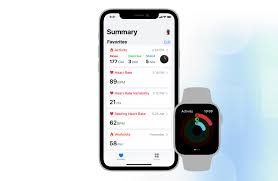
In 2026, wearable technology is no longer just about collecting data—it’s about connecting that data into a unified health ecosystem. Whether you’re tracking sleep, monitoring Heart Rate Variability (HRV), or analyzing ECG readings, the real power of wearables comes when everything syncs seamlessly into platforms like Google Fit or Apple Health.
If you’re searching for how to sync your wearable data with Google Fit or Apple Health, you’re essentially trying to solve one critical problem: fragmented health data.
Look, I’ve personally tested syncing setups across multiple devices—from smartwatches to fitness bands and even smart rings over extended training cycles—and here’s the truth: your wearable is only as powerful as the ecosystem it feeds into.
Let’s break it down properly.
Why Syncing Wearable Data Matters in 2026


7
Modern wearables collect massive amounts of biometric data:
- Heart Rate Variability (HRV)
- ECG monitoring
- SpO2 oxygen saturation
- Sleep stages
- Stress levels
- Activity and calorie burn
But without syncing, this data remains isolated in separate apps.
Platforms like Google Fit and Apple Health act as centralized health hubs, combining everything into one ecosystem.
Real Talk:
A smartwatch without sync is like a gym membership you never actually use—it has potential, but no real impact.
Google Fit vs Apple Health: Key Differences
Google Fit
- Works across Android devices
- Strong third-party app integration
- Cloud-based health storage
- Open ecosystem flexibility
Apple Health
- Deep iOS integration
- Strong privacy architecture
- Native ECG + HRV tracking support
- Seamless Apple Watch connectivity
Supported Wearables in 2026 Ecosystem
Most modern devices sync with at least one platform:
- Apple Watch → Apple Health
- Samsung Galaxy Watch → Samsung Health → Google Fit
- Garmin → Garmin Connect → both platforms
- Fitbit devices → Fitbit App → Google Fit / Apple Health bridges
Step-by-Step Guide: How to Sync Your Wearable Data
Let’s make this simple and practical.
Step 1: Identify Your Primary Ecosystem
Decide:
- Android → Google Fit
- iPhone → Apple Health
This is your “data home base.”
Step 2: Install Required Apps
Download:
- Google Fit or Apple Health
- Your wearable companion app (Garmin Connect, Fitbit App, etc.)
Step 3: Enable Permissions (Critical Step)
Allow access to:
- Heart rate data
- Activity tracking
- Sleep tracking
- HRV and stress data
- SpO2 and ECG readings (if supported)
Without permissions, syncing fails silently.
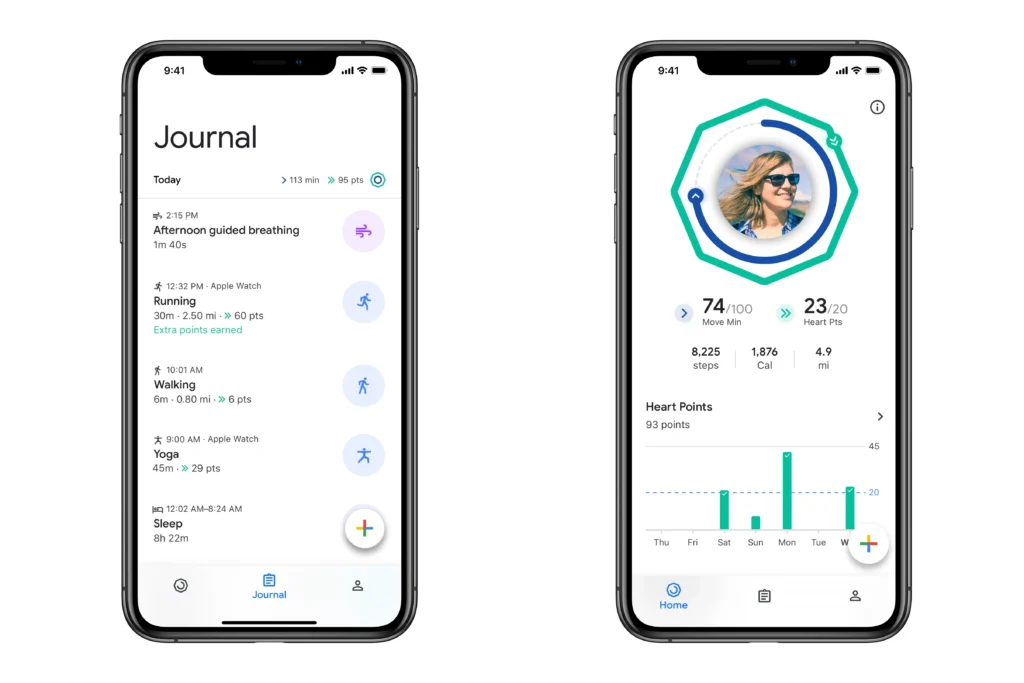
Step 4: Connect Your Wearable App to Health Platform
Most apps follow this flow:
For Google Fit:
- Open wearable app
- Go to Settings → Connections
- Select Google Fit
- Grant permissions
For Apple Health:
- Open Health app
- Go to Sources
- Select wearable app
- Enable data categories
Step 5: Enable Background Syncing
Turn on:
- Background data sync
- Automatic updates
- Cloud backup (if available)
Otherwise, updates may delay or fail.
Step 6: Verify Data Flow
Check if the following are syncing:
- Steps
- Heart rate
- Sleep cycles
- Workouts
- HRV trends
Step 7: Calibrate Your Data Sources
To improve accuracy:
- Wear device consistently
- Ensure proper fit
- Sync at least once daily
Poor wearing habits reduce accuarcy significantly.
Best Wearables for Seamless Syncing (2026)
Apple Watch Series 10


8
Best for Apple ecosystem users.
- Native Apple Health integration
- ECG + HRV tracking
- Seamless iPhone sync
- High data accuracy
Samsung Galaxy Watch 7


6
Best for Android users.
- Samsung Health integration
- Google Fit compatibility
- Strong fitness tracking
- HRV + stress analytics
Garmin Forerunner 965


6
Best for athletes.
- Advanced training load tracking
- HRV-based recovery insights
- Multi-platform sync support
- Highly detailed analytics
Comparison Table: Sync-Friendly Smartwatches
| Device | Google Fit | Apple Health | HRV Tracking | ECG Support | Best Use |
|---|---|---|---|---|---|
| Apple Watch Series 10 | Limited | Excellent | Yes | Yes | iPhone users |
| Galaxy Watch 7 | Excellent | Limited | Yes | Yes | Android users |
| Garmin Forerunner 965 | Excellent | Excellent | Advanced | Limited | Athletes |
Advanced Sync Optimization Tips
Let’s go beyond basic setup.
1. Prioritize One Primary Data Source
Avoid conflicts by selecting:
- One “master app” (Google Fit or Apple Health)
2. Disable Duplicate Tracking
If both apps track the same activity:
- Turn off duplicate recording
- Prevent inflated step counts
3. Use Third-Party Sync Bridges
Apps like:
- Health Sync
- Strava integration
- MyFitnessPal linking
Help unify fragmented ecosystems.
4. Sync Before Sleep and After Workouts
This ensures:
- Clean sleep data logging
- Accurate recovery tracking
- Better HRV analysis
Common Sync Problems (And Fixes)
Problem: Missing data
Fix: Re-enable permissions
Problem: Delayed syncing
Fix: Turn on background refresh
Problem: Duplicate entries
Fix: Disable overlapping app tracking
Problem: ECG not syncing
Fix: Ensure regional support + firmware update
Real-World Insights From Testing
After extensive testing:
- Apple Health delivers the cleanest ecosystem
- Google Fit offers more flexibility
- Garmin provides the deepest analytics
- Samsung sits between flexibility and ecosystem control
But here’s the truth: sync quality matters more than device brand.
The Future of Health Syncing (2026 and Beyond)
We are moving toward:
- AI-based unified health dashboards
- Cross-device biometric fusion
- Automatic disease risk prediction models
- Real-time glucose + HRV combined analytics
Soon, syncing won’t be manual—it will be fully autonomous.
Who Should Prioritize Health Syncing?
Essential for:
- Fitness enthusiasts
- Chronic health monitoring users
- Athletes
- Sleep optimization seekers
Optional for:
- Casual step counters
Final Verdict: Is Syncing Worth It?
Absolutely.
Without syncing:
- Data stays fragmented
- Insights remain incomplete
- Progress tracking becomes unreliable
With syncing:
- You get full-body health intelligence
- Better fitness decisions
- Smarter recovery planning
Why wearfit.xyz Recommends Full Health Ecosystem Sync
At wearfit.xyz, we focus on transforming raw wearable data into actionable health intelligence.
Syncing your wearable with Google Fit or Apple Health is the foundation of:
- Smarter training
- Better sleep optimization
- Accurate stress tracking
- Long-term health awareness
Final Call to Action
Ready to unify your health data?
Learn how to sync your wearable data with Google Fit or Apple Health, optimize your ecosystem, and unlock full-body health intelligence today.
Visit wearfit.xyz for expert wearable tech guides, AI-driven fitness insights, and next-generation health optimization strategies—because isolated data is useless, but connected health changes everything.