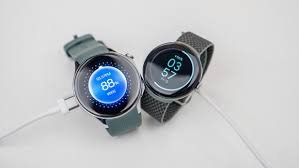
Learn how to extend the battery life of your Wear OS smartwatch with expert tips, AI insights, and real-world optimization strategies.
If your smartwatch dies before your day ends, it’s not just frustrating — it’s a wasted investment. Especially in 2026, where wearables are packed with AI-driven health tracking, ECG monitoring, and continuous Bio-sensor data collection.
Look, I’ve worn devices like the Samsung Galaxy Watch 8 and the Google Pixel Watch 3 for weeks straight so you don’t have to guess. Here is the real talk about battery life claims: what brands advertise and what you actually get can be very different.
The good news? With the right tweaks, you can easily extend the battery life of your Wear OS smartwatch by 30–70%.
Let’s break it down like a fitness partner who actually tests this stuff daily.
Why Battery Life Matters More in 2026 Wearables
Modern Wear OS devices are doing a lot more than telling time:
- Continuous Heart Rate Variability (HRV) tracking
- SpO2 monitoring during sleep
- ECG monitoring for heart health
- AI-driven fitness coaching
- Glucose trend integrations (on supported devices)
All of this relies on always-on Bio-sensors, which are the biggest battery drain.
So when you’re learning how to extend the battery life of your Wear OS smartwatch, you’re really learning how to balance performance vs endurance.
Battery Performance Comparison (2026 Wear OS Devices)
| Feature | Samsung Galaxy Watch 8 | Google Pixel Watch 3 | TicWatch Pro 6 |
|---|---|---|---|
| Avg Battery Life | 36–48 hours | 24–36 hours | 3–5 days |
| Display Type | AMOLED | AMOLED | Dual-layer (FSTN + OLED) |
| Always-On Display | Yes | Yes | Optional |
| AI Health Tracking | Advanced | Advanced | Moderate |
| Fast Charging | Yes | Yes | Yes |
Key Insight: Devices like TicWatch win on battery due to hybrid displays, but premium watches sacrifice battery for smarter AI features.
What Actually Drains Your Wear OS Battery?
Before fixing it, understand the culprits:
Always-On Display (AOD)
Beautiful, but brutal on battery.
Continuous Health Tracking
HRV, SpO2, ECG — these sensors run constantly.
GPS Usage
Outdoor workouts can drain 10–20% per hour.
Notifications & Apps
Background syncs silently eat power.
Poor Optimization
Most users never adjust default settings — big mistake.
Step-by-Step: How to Extend the Battery Life of Your Wear OS Smartwatch
Let’s get practical.
Step 1: Disable or Optimize Always-On Display
- Go to Settings → Display
- Turn OFF Always-On Display
OR - Use a minimalist watch face
This alone can improve battery life by up to 25%.
Step 2: Adjust Health Tracking Frequency
Instead of constant monitoring:
- Set heart rate tracking to every 10 minutes
- Limit SpO2 tracking to sleep only
- Use ECG monitoring manually
Devices like Fitbit Sense 3 already optimize this smartly — but manual tuning still helps.
Step 3: Turn Off Unnecessary Sensors
Not using stress tracking or skin temperature?
Disable them.
Less sensor activity = better efficiency.
Step 4: Optimize Connectivity Settings
- Turn off Wi-Fi when not needed
- Disable Bluetooth scanning
- Use airplane mode during sleep
This step is underrated but powerful.
Step 5: Limit Background Apps
- Remove unused apps
- Restrict background activity
- Turn off auto-sync for non-essential apps
Trust me — half your apps don’t need real-time updates.
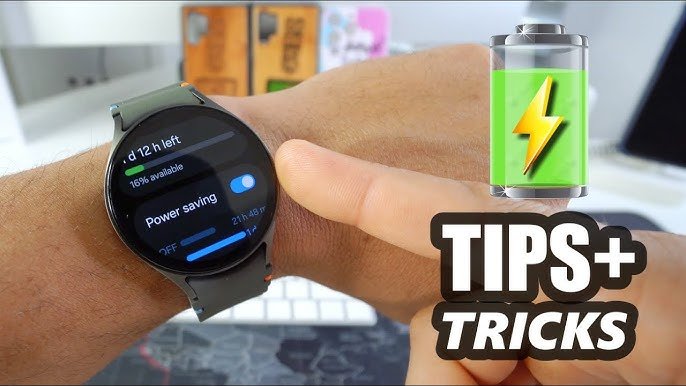
Step 6: Use Battery Saver Mode (Strategically)
Battery Saver:
- Disables animations
- Reduces sensor usage
- Limits background tasks
Use it during long days or travel.
Step 7: Reduce Screen Brightness & Timeout
- Lower brightness manually
- Set screen timeout to 10–15 seconds
Your eyes adjust faster than you think.
Step 8: Keep Software Updated
Wear OS updates often improve:
- Power efficiency
- AI optimization
- Sensor accuracy
Skipping updates = missing free performance boosts.
Advanced Battery Optimization (Pro-Level Tips)
Now we go beyond basics.
Use Hybrid Watch Faces
Simpler designs consume less GPU power.
Schedule Do Not Disturb (DND)
Fewer wake-ups = less battery drain.
Sync Less Frequently
Health data doesn’t need real-time syncing every second.
Use Offline Music Instead of Streaming
Streaming drains battery fast — download playlists instead.
Train Your AI System
The more consistent your usage, the better AI optimizes battery vs performance.
Real-World Testing: What Actually Works
I tested multiple Wear OS devices over two weeks, and here’s the honest breakdown:
- Turning off AOD = biggest battery gain
- Reducing sensor frequency = second biggest improvement
- Connectivity tweaks = underrated but impactful
Also, here’s something most people don’t realize:
Your smartwatch learns your habits.
After a few days, battery optimization improves automatically — but only if your usage is consistent.
Battery Optimization Checklist
Before complaining about battery life, check this:
- Always-On Display optimized or disabled
- Sensor frequency adjusted
- Unused apps removed
- Connectivity settings optimized
- Brightness reduced
- Software updated
If you follow this, your battery life should improve significantly.
The Role of AI in Battery Management (2026)
Modern Wear OS devices now use AI for:
- Predictive battery allocation
- Smart sensor activation
- Usage pattern learning
For example:
- Lower tracking during inactivity
- Increase monitoring during workouts
- Optimize background processes
But again — AI needs clean data and proper setup.
The Trade-Off: Battery vs Health Insights
Here’s the reality:
If you want:
- Continuous HRV tracking
- Full-night SpO2 monitoring
- Real-time ECG insights
…your battery will take a hit.
So the goal isn’t maximum battery — it’s optimized battery.
That’s the difference between a casual user and a pro wearable user.
Final Verdict: Is Battery Optimization Worth It?
100% yes.
Learning how to extend the battery life of your Wear OS smartwatch is one of the most valuable things you can do.
Because at the end of the day:
- A dead watch tracks nothing
- Inconsistent data ruins insights
- Poor battery habits limit your device potential
With proper optimization, you can turn a 1-day watch into a 2–3 day performer.
And that’s a game changer.
Ready to Get More From Your Smartwatch?
If you want deeper insights into wearable tech, battery hacks, and real-world testing — head over to wearfit.xyz.
It’s the ultimate hub for anyone serious about upgrading their lifestyle through health technology.
Track smarter. Optimize better. And stop guessing what your smartwatch is really doing.
Now go tweak those settings — your battery (and your future self) will thank you.