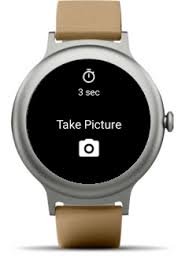
Smartwatches in 2026 are doing far more than tracking steps and heart rate. Sure, they handle ECG monitoring, Heart Rate Variability (HRV), SpO2, and advanced Bio-sensors — but one underrated feature that I use almost daily? Remote camera control.
Look, I’ve worn devices like the Apple Watch Series 11 and Samsung Galaxy Watch 8 for two weeks straight so you don’t have to guess. And here’s the truth: once you start using your smartwatch as a remote shutter, you’ll never go back to awkward timers or blurry group shots.
In this expert guide from wearfit.xyz, we’ll break down exactly how to use your smartwatch as a remote shutter for your phone camera, with real-world tips, compatibility insights, and pro-level optimization strategies.
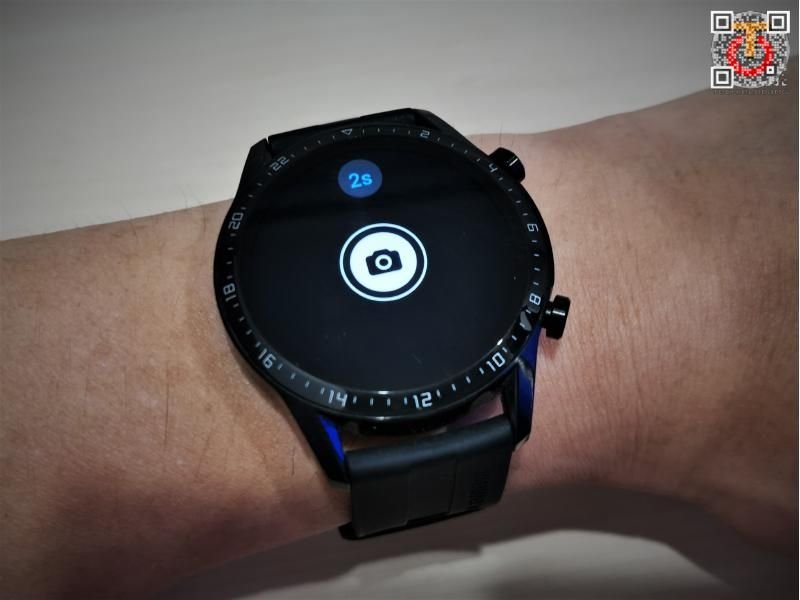
Why This Feature Matters in 2026
With the rise of:
- AI-powered smartphone photography
- Fitness influencers and content creators
- Solo workouts and outdoor training
- Smart home and IoT integrations
…being able to control your camera remotely is no longer a gimmick — it’s essential.
Whether you’re capturing a transformation photo, recording a workout, or taking a family shot, your smartwatch becomes your wireless control center.
And yes, all while still tracking your HRV, SpO2, and workout intensity in the background.
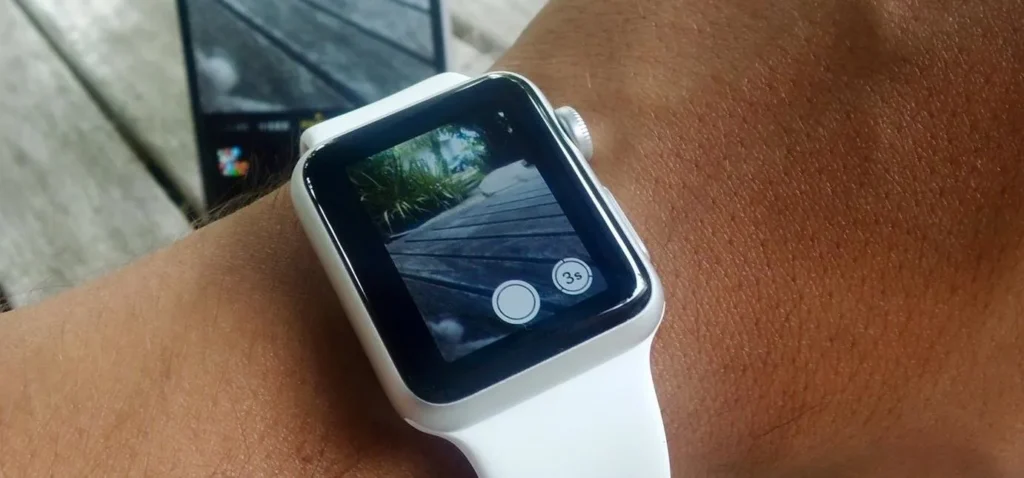
How Smartwatch Remote Shutter Works
At its core, the feature uses:
- Bluetooth Low Energy (BLE) connectivity
- Companion apps (Wear OS / watchOS)
- Camera API integration
When you tap the shutter button on your watch, it sends a signal to your phone’s camera app to capture the image.
Higher-end devices even allow:
- Live preview on your watch
- Zoom control
- Mode switching (photo/video/portrait)
- Timer adjustments
Compatibility Comparison (2026 Smartwatches)
| Feature | Apple Watch Series 11 | Samsung Galaxy Watch 8 | Google Pixel Watch 3 |
|---|---|---|---|
| Native Camera App | Yes | Yes | Yes |
| Live Preview | Yes | Limited | Yes |
| Video Recording | Yes | Yes | Yes |
| Zoom Control | Yes | Limited | Yes |
| Third-Party App Support | Strong | Moderate | Strong |
Key Insight: Apple still leads in seamless integration, but Wear OS is catching up fast.
Step-by-Step: How to Use Your Smartwatch as a Remote Shutter for Your Phone Camera
Let’s get into the real setup proccess.
Step 1: Ensure Device Compatibility
First, confirm:
- Your smartwatch supports camera control
- Your phone and watch are paired
- Companion apps are installed
For example:
- Apple Watch → iPhone Camera app
- Wear OS → Google Camera or OEM camera app
Step 2: Open the Camera App on Your Watch
On devices like the Google Pixel Watch 3:
- Scroll to apps
- Tap “Camera” or “Camera Controller”
This will automatically launch the camera on your phone.
Step 3: Position Your Phone
Place your phone:
- On a tripod (recommended)
- Against a stable surface
- At the correct angle and height
Pro tip: Use grid lines for better composition.
Step 4: Use Live Preview (If Available)
Premium watches show a real-time preview on your wrist.
This helps you:
- Adjust framing
- Check lighting
- Ensure focus
It’s like having a mini viewfinder on your wrist.
Step 5: Tap the Shutter Button
Now the fun part:
- Tap the shutter icon on your watch
- Or use a timer (3–10 seconds)
This eliminates:
- Camera shake
- Awkward running into frame
- Missed moments
Step 6: Switch Modes for Better Results
Use your watch to toggle:
- Photo → for still shots
- Video → for workouts
- Portrait → for depth shots
This is especially useful for fitness creators.
Step 7: Review and Adjust
After capturing:
- Check the image on your phone
- Adjust lighting or angle
- Retake if needed
Simple, but powerful.
Real-World Use Cases (From a Wearable Tester)
Let me be honest — I didn’t expect to use this feature much.
But after testing for two weeks, here’s where it shines:
Fitness Progress Photos
Perfect for tracking physique changes without asking someone else.
Group Photos
No more cutting people out or rushing into frame.
Workout Recording
Set your phone, control recording from your wrist.
Travel Photography
Capture stable shots without touching your phone.
And yes, your still tracking calories, HRV, and SpO2 in the background.
Advanced Tips for Better Remote Photography
Use Voice Commands + Watch Control
Combine voice assistants with shutter control for hands-free shooting.
Optimize Lighting
Smartwatches don’t fix bad lighting — your setup still matters.
Use Burst Mode
Capture multiple shots for better selection.
Stabilize Your Phone
Tripods make a huge difference.
Sync With Fitness Apps
Capture workout visuals while logging health metrics.
The Role of AI in Smartwatch Camera Control (2026)
Here’s where things get futuristic.
Modern systems now integrate:
- AI scene detection
- Smart framing suggestions
- Motion tracking
- Auto-timer based on pose detection
Your smartwatch isn’t just triggering the camera — it’s becoming part of an intelligent imaging system.
For example:
- Detecting when you’re in frame
- Suggesting optimal angles
- Syncing with fitness tracking data
Imagine capturing a perfect squat form while monitoring your HRV and ECG data simultaneously.
That’s 2026 wearable tech.
Limitations You Should Know
Let’s keep it real.
Bluetooth Range
Usually limited to 10–15 meters.
Latency
Slight delay between tap and capture.
Limited Controls on Some Devices
Not all watches support full camera features.
Battery Impact
Using live preview can drain battery faster — similar to heavy Bio-sensor usage.
Quick Checklist: Remote Shutter Optimization
Before your next shoot:
- Watch and phone fully charged
- Bluetooth connection stable
- Camera app updated
- Phone properly positioned
- Lighting optimized
Follow this, and your results will improve instantly.
Final Verdict: Is It Worth Using?
Absolutely.
Learning how to use your smartwatch as a remote shutter for your phone camera unlocks a whole new level of convenience and creativity.
It’s not just about photos — it’s about:
- Independence
- Precision
- Better content creation
- Smarter integration with your fitness journey
And once you get used to it, going back feels… outdated.
Ready to Upgrade Your Smartwatch Experience?
If you want more expert-level guides, real-world testing insights, and the latest wearable tech trends — head over to wearfit.xyz.
It’s your ultimate destination for optimizing everything from ECG monitoring to smartwatch camera control.
Start capturing smarter. Train better. And turn your wearable into a true lifestyle upgrade.
Because your smartwatch isn’t just tracking your life anymore — it’s helping you document it.