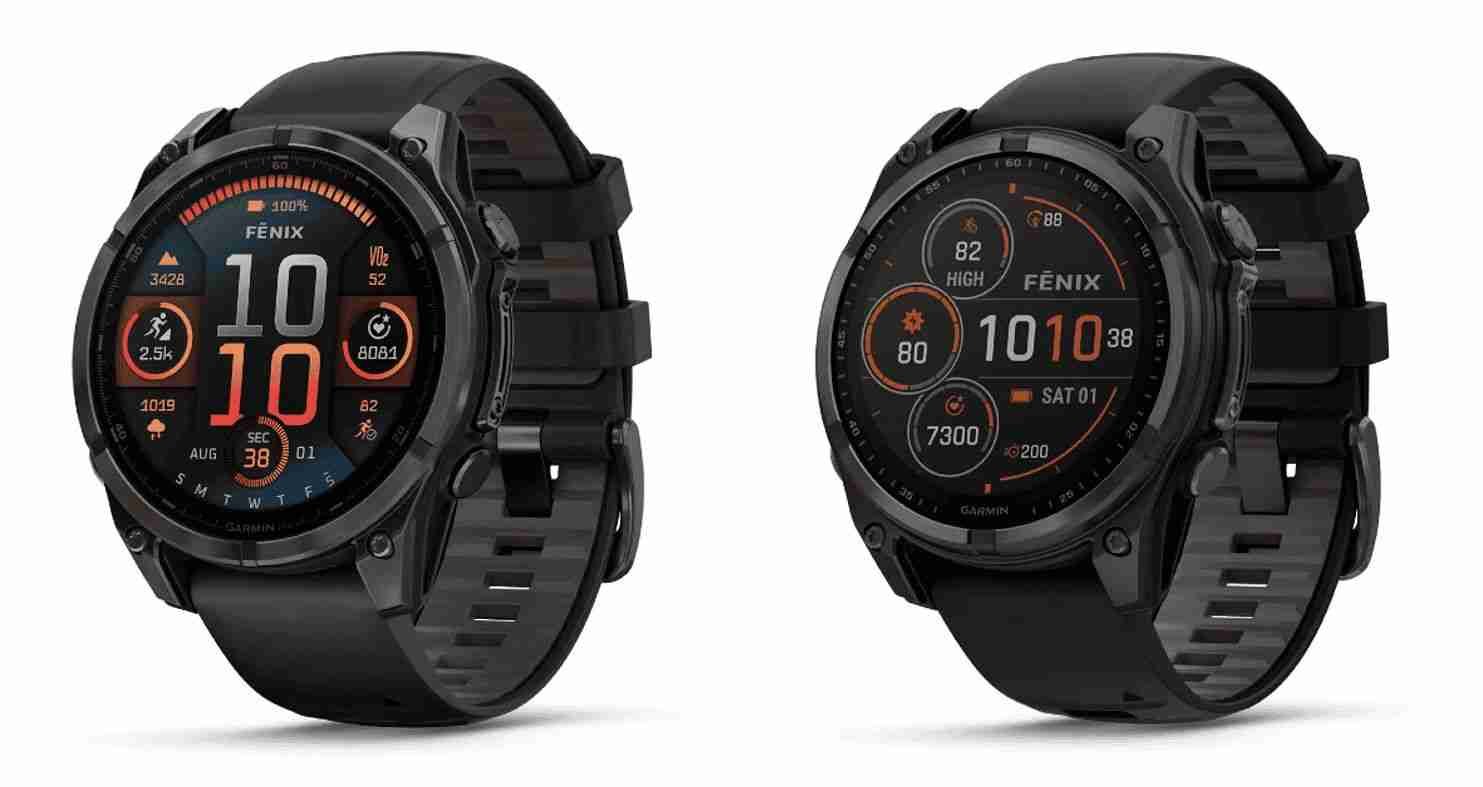
When buying a fitness watch in 2026, most people obsess over sensors, GPS, or battery life—but ignore one critical factor: the display. And trust me, when you’re mid-run under harsh sunlight or checking stats during a workout, your screen choice matters more than you think.
This guide on Choosing between AMOLED and MIP displays for your fitness watch will help you understand which technology actually fits your lifestyle—not just what looks better in ads.
Look, I’ve worn both display types for weeks so you don’t have to guess. And here’s the truth: AMOLED looks stunning, but MIP quietly wins in endurance scenarios.
Let’s break it down like a real fitness partner would.
AMOLED vs MIP: What Do These Displays Actually Mean?
Before we compare, let’s simplify the tech.
AMOLED Displays (Active Matrix Organic LED)
Used in devices from brands like Samsung and Apple, AMOLED screens are:
- Bright and vibrant
- High contrast with deep blacks
- Ideal for indoor and lifestyle use
MIP Displays (Memory-In-Pixel)
Common in outdoor-focused watches from Garmin, MIP displays are:
- Always-on with ultra-low power consumption
- Extremely readable in sunlight
- Built for endurance and outdoor conditions
Real Talk:
AMOLED is like a smartphone screen. MIP is like a survival tool.
Visual Comparison: AMOLED vs MIP Displays
AMOLED Display Example


5
MIP Display Example


6
Design & User Experience
AMOLED: Premium Feel
- Smooth animations
- Rich colors
- Better for notifications and apps
Devices like the Samsung Galaxy Watch 6 feel like mini smartphones on your wrist.
My Experience:
If you enjoy interacting with your watch daily—checking messages, apps—AMOLED feels modern and satisfying.
MIP: Functional & Practical
- No glare outdoors
- Always visible without raising wrist
- Minimal distractions
Watches like the Garmin Fenix 7 prioritize performance over aesthetics.
Real Talk:
It’s not flashy—but it works when it matters most.
Battery Life: The Real Deciding Factor
Here is the real talk about battery life claims.
AMOLED Watches
- 2–7 days average
- Depends on brightness and always-on mode
MIP Watches
- 10–30 days (sometimes more)
- Solar charging options available
Verdict:
If battery anxiety is real for you—MIP wins. No contest.
Health Tracking & Display Impact
Now you might think: “Display doesn’t affect health tracking.”
But it does.
AMOLED Advantages
- Better visualization of:
- Heart Rate Variability (HRV)
- SpO2 graphs
- Sleep tracking insights
- Easier to read detailed metrics
MIP Advantages
- Constant visibility of:
- Heart rate
- Distance
- Pace
- Ideal for long workouts
Whether you’re tracking ECG monitoring, HRV, or bio-sensors, the display affects how easily you interpret data.
Outdoor Performance: Where MIP Dominates
If you train outdoors, this matters more than anything.
AMOLED Outdoors
- Can struggle in direct sunlight
- Requires brightness boost (drains battery)
MIP Outdoors
- Gets clearer in sunlight
- No backlight needed
Real Talk:
During a midday run, AMOLED can be annoying. MIP just works.
Comparison Table: AMOLED vs MIP Displays
| Feature | AMOLED | MIP |
|---|---|---|
| Brightness | Excellent indoors | Excellent outdoors |
| Battery Life | Moderate | Exceptional |
| Always-On Display | Limited | Native |
| Visual Quality | Stunning | Basic |
| Outdoor Visibility | Good | Excellent |
| Best Use | Lifestyle & gym | Outdoor & endurance |
Step-by-Step Guide: How to Optimize Your Display for Maximum Performance
No matter which display you choose, optimization is key.
Step 1: Adjust Brightness Settings
- AMOLED: Lower brightness indoors
- MIP: Keep default (already optimized)
Step 2: Enable/Disable Always-On Mode
- AMOLED: Turn OFF if you want better battery
- MIP: Keep ON (minimal impact)
Step 3: Customize Watch Face
Choose:
- Simple layouts for workouts
- Detailed layouts for daily use
This improves usability.
Step 4: Optimize Health Data Display
Prioritize:
- Heart rate
- HRV
- Steps
Don’t clutter your screen.
Step 5: Use Power Saving Modes
Especially on AMOLED watches:
- Reduce animations
- Limit background apps
Step 6: Sync with Apps for Deep Insights
Use apps like:
- Garmin Connect
- Samsung Health
Your watch shows data—but your phone explains it.
Who Should Choose AMOLED?
Go for AMOLED if:
- You want a smartwatch experience
- You care about visuals
- You train mostly indoors
- You check notifications frequently
Who Should Choose MIP?
Go for MIP if:
- You do outdoor activities
- You need long battery life
- You prefer function over style
- You hate charging devices often
2026 Trends: Where Display Tech Is Headed
The gap between AMOLED and MIP is shrinking.
We’re seeing:
- Hybrid displays (best of both worlds)
- Adaptive brightness AI
- Energy-efficient AMOLED panels
- Better bio-sensor integration with visual feedback
Future watches may eliminate this debate entirely.
My Expert Verdict After Real-World Use
Let me keep it simple.
- Best for lifestyle users: AMOLED
- Best for athletes & adventurers: MIP
But here’s the deeper truth:
Your watch is only as useful as how often you use it.
If you love looking at it—you’ll use it more.
Why wearfit.xyz Recommends Choosing Based on Lifestyle
At wearfit.xyz, we always say:
Don’t buy tech based on specs—buy it based on behavior.
AMOLED helps you:
- Stay engaged
- Enjoy the experience
- Interact more
MIP helps you:
- Train longer
- Stay focused
- Forget about charging
Both are powerful—just in different ways.
Final Call to Action
Still unsure about Choosing between AMOLED and MIP displays for your fitness watch?
Start by understanding your routine, pick the display that fits your lifestyle, and commit to using it daily.
Visit wearfit.xyz for expert comparisons, latest smartwatch reviews, and practical health-tech advice—because your fitness journey deserves smarter decisions.