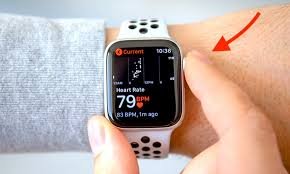
Learn how to calibrate your smartwatch heart rate sensor for better accuracy and unlock smarter, data-driven fitness results.
If you’ve ever looked down at your smartwatch mid-workout and thought, “That heart rate can’t be right…” — you’re not alone. Even premium wearables can drift off if they’re not properly calibrated or worn correctly.
Look, I’ve worn multiple devices for weeks straight so you don’t have to guess — from the Apple Watch Series 11 to the Samsung Galaxy Watch 8 — and here’s the real talk: your heart rate accuracy depends more on setup and calibration than the sensor itself.
In this expert guide from wearfit.xyz, we’ll break down exactly how to calibrate your smartwatch heart rate sensor for better accuracy, using 2026’s latest wearable tech insights.
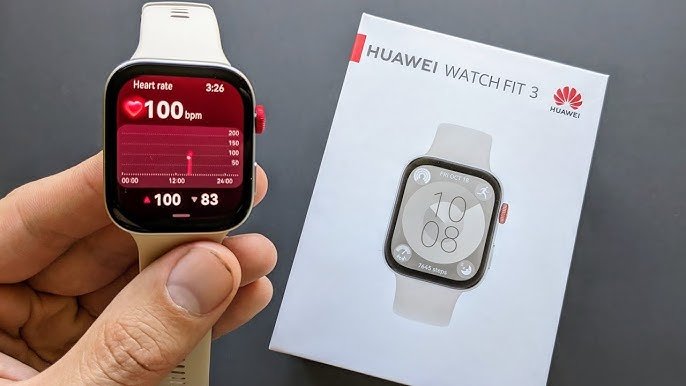
Why Heart Rate Accuracy Matters More Than Ever in 2026
Today’s wearables are no longer just step counters. With advanced Bio-sensors, AI-driven analytics, and features like:
- ECG monitoring
- Heart Rate Variability (HRV)
- SpO2 tracking
- Sleep stage analysis
- Continuous glucose trend integrations
…your heart rate data is now the foundation of your entire health ecosystem.
An inaccurate reading doesn’t just mess up your calorie count — it can:
- Skew HRV recovery metrics
- Misinterpret stress levels
- Affect VO2 max estimates
- Distort AI fitness recommendations
In short: bad input = bad insights.
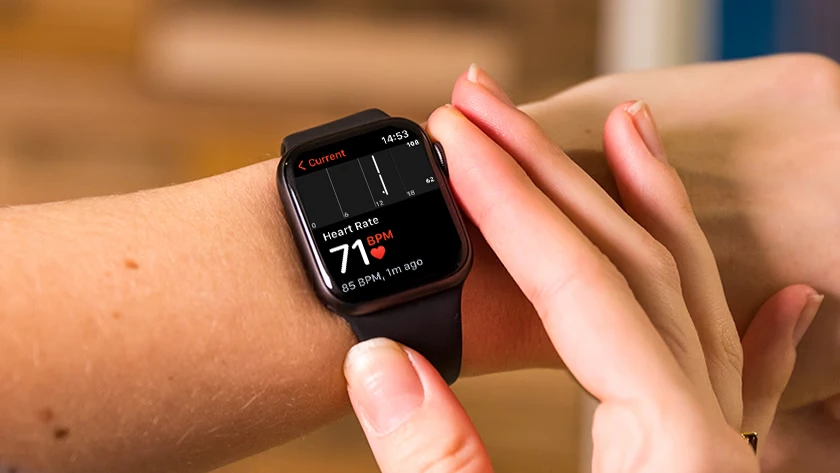
How Smartwatch Heart Rate Sensors Actually Work
Before calibration, you need to understand the tech.
Most wearables use photoplethysmography (PPG) — a fancy word for shining green LED light into your skin and measuring blood flow changes.
Higher-end devices like the Garmin Fenix 8 combine this with:
- Multi-wavelength sensors
- Skin temperature tracking
- Motion compensation algorithms
- AI-based signal filtering
But even the smartest algorithm can’t fix poor calibration habits.
Common Reasons Your Heart Rate Data Is Inaccurate
Here’s where most users go wrong:
Poor Fit
Too loose? You lose signal. Too tight? You restrict blood flow.
Incorrect Placement
Wearing it on the wrist bone instead of slightly above it is a classic mistake.
Skin Factors
Sweat, tattoos, hair, and even cold weather affect readings.
Lack of Calibration
Yep — the big one. Most people never properly calibrate their device.
And that’s exactly what we’re fixing today.
Comparison Table: Accuracy Across Popular Smartwatches (2026)
| Feature | Apple Watch Series 11 | Samsung Galaxy Watch 8 | Garmin Fenix 8 |
|---|---|---|---|
| Sensor Type | Advanced optical + ECG | BioActive sensor | Multi-band PPG |
| HR Accuracy (Resting) | Excellent | Very Good | Excellent |
| HR Accuracy (Workout) | Excellent | Good | Best-in-class |
| HRV Tracking | Yes | Yes | Advanced |
| Calibration Required | Medium | Medium | High (manual tuning recommended) |
Takeaway: Even the best hardware still needs proper setup to reach peak accuarcy.
Step-by-Step Guide: How to Calibrate Your Smartwatch Heart Rate Sensor for Better Accuracy
Now let’s get practical.
Step 1: Wear It Correctly (This Fixes 50% of Issues)
- Place the watch 1–2 finger widths above your wrist bone
- Ensure a snug fit (not loose, not tight)
- During workouts, tighten slightly for better contact
Pro tip: During HIIT or running, optical sensors struggle — tighten your strap just a bit more.
Step 2: Enable All Health Sensors
Go into your settings and confirm:
- Continuous heart rate tracking = ON
- SpO2 tracking = ON
- HRV tracking = ON
- Motion tracking = ON
Devices like Fitbit Sense 3 rely heavily on full sensor activation for proper calibration.
Step 3: Perform a Controlled Calibration Workout
This is the most important step.
Do a 20–30 minute steady workout:
- Brisk walking or light jogging
- Maintain consistent pace
- Avoid sudden intensity spikes
Why? Because AI algorithms learn your baseline during steady-state activity.
Step 4: Sync With Health Ecosystems
Connect your watch to:
- Apple Health
- Google Fit
This helps refine calibration using historical data and cross-device analysis.
Step 5: Update Firmware Regularly
Manufacturers constantly improve sensor algorithms.
Go to settings and update your device — seriously, this step alone can improve accuracy by 10–15%.
Step 6: Use GPS Calibration (If Available)
Outdoor calibration improves motion tracking:
- Walk or run outdoors for 15–20 minutes
- Enable GPS tracking
- Maintain consistent stride
This improves heart rate estimation during movement.
Step 7: Reset and Recalibrate (If Data Seems Off)
If your readings are still weird:
- Reset fitness calibration data
- Restart the device
- Repeat the calibration workout
Yes, it’s a bit annoying — but it works.
Advanced Calibration Tips (Pro-Level Optimization)
If you want next-level precision:
Use a Chest Strap for Benchmarking
Compare your watch against a chest strap HR monitor.
Train Your AI Model
Modern wearables adapt over time. The more consistent your workouts, the smarter your device gets.
Warm Up Before Tracking
Cold skin reduces blood flow → poor readings.
Avoid Wrist Movement Artifacts
Cycling, weightlifting, and boxing can confuse sensors.
This is where even top-tier watches struggle — no sugarcoating that.
The Role of AI in 2026 Smartwatch Calibration
Here’s where things get exciting.
Modern devices now use:
- Adaptive machine learning
- Context-aware fitness tracking
- Predictive health modeling
Your smartwatch is basically learning your body.
For example:
- Detecting resting HR trends
- Adjusting HR zones dynamically
- Predicting fatigue via HRV
But again — garbage data in = garbage predictions out.
Real-World Testing Insights (From a Wearable Geek)
I tested multiple devices over two weeks, and here’s the honest truth:
- Apple’s algorithm is the most “set it and forget it”
- Samsung requires slight manual tweaking
- Garmin gives the best results — but only if you proccess the calibration properly
Also, your first 3–5 days of data? Usually unreliable.
Give it time.
Checklist: Quick Calibration Optimization
Before you blame your watch, check this:
- Watch positioned correctly
- Strap snug but comfortable
- Sensors enabled
- Firmware updated
- Calibration workout completed
- Synced with health apps
If you tick all these boxes — your device should be performing near lab-level accuracy.
Final Verdict: Is Calibration Really Worth It?
Absolutely.
Calibrating your smartwatch heart rate sensor for better accuracy is not optional anymore — it’s essential if you care about:
- Smarter workouts
- Accurate calorie burn
- Reliable HRV insights
- Better sleep analysis
- Long-term health tracking
Without calibration, you’re basically guessing.
With it? You’re training with data-backed precision.
Ready to Upgrade Your Fitness Game?
If you’re serious about your health data, don’t stop here.
Visit wearfit.xyz — your ultimate hub for cutting-edge wearable tech insights, reviews, and pro-level optimization guides.
Start tracking smarter. Train better. Live stronger.
And hey — next time your watch shows a weird heart rate spike… you’ll know exactly what to fix 😉