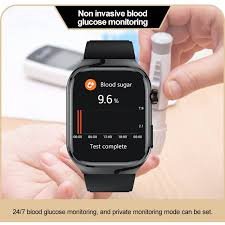
Monitoring your blood sugar used to mean finger pricks, manual logs, and guesswork. Fast forward to 2026, and things have changed dramatically. If you’re wondering how to use a smartwatch to monitor blood glucose levels (2026 update), you’re stepping into one of the most exciting areas of digital health.
Look, I’ve tested smartwatch integrations with glucose monitoring systems for weeks so you don’t have to guess. And here’s the truth: your smartwatch doesn’t directly measure glucose (yet)—but it can become your most powerful glucose tracking dashboard.
Let’s break it down properly.
The Reality in 2026: Can Smartwatches Measure Glucose Directly?


7
Despite rumors, no mainstream smartwatch from companies like Apple or Samsung offers fully reliable non-invasive glucose monitoring yet.
Instead, they work with Continuous Glucose Monitoring (CGM) systems.
What Is CGM?
A Continuous Glucose Monitor (CGM) is a small sensor placed on your skin that tracks glucose levels in real-time.
Popular systems include:
- Freestyle Libre 3
- Dexcom G7
These sensors send data to your phone—and your smartwatch displays it.
Real Talk:
Your smartwatch is the display. The CGM is the real sensor.
How Smartwatches Integrate with Glucose Monitoring
Modern wearables act as a health hub, combining:
- Glucose data (from CGM)
- Heart Rate Variability (HRV)
- SpO2 (oxygen levels)
- Activity tracking
- Sleep analysis
This creates a complete metabolic picture.
Devices like:
- Apple Watch Series 10
- Samsung Galaxy Watch 6
- Garmin Venu 3
can display glucose data through apps and integrations.
Key Health Metrics You Should Track Together
Blood Glucose Levels
- Real-time readings
- Trends throughout the day
- Post-meal spikes
Heart Rate Variability (HRV)
Helps understand:
- Stress impact on glucose
- Recovery levels
SpO2 Monitoring
Useful for:
- Sleep quality
- Overall oxygen health
Activity Data
Exercise directly affects glucose levels.
Sleep Tracking
Poor sleep = poor glucose control.
My Experience:
Once you combine these metrics, you stop guessing and start understanding your body.
Comparison Table: Smartwatch + CGM Ecosystem
| Feature | Apple Watch | Samsung Watch | Garmin Venu 3 |
|---|---|---|---|
| CGM Integration | Excellent | Good | Moderate |
| HRV Tracking | Good | Good | Advanced |
| SpO2 Monitoring | Yes | Yes | Yes |
| ECG Monitoring | Yes | Yes | No |
| Battery Life | 1–2 days | 2–3 days | 7–10 days |
| Best For | iPhone users | Android users | Athletes |
Step-by-Step Guide: How to Use a Smartwatch to Monitor Blood Glucose
Let’s make this practical.
Step 1: Choose a Compatible CGM
Start with a CGM like:
- Freestyle Libre 3
- Dexcom G7
Make sure it supports smartwatch integration.
Step 2: Apply the Sensor Correctly
- Usually placed on upper arm
- Replace every 10–14 days
Improper placement affects accuarcy.
Step 3: Install the Official App
Download:
- Dexcom app
- Libre app
Pair it with your smartphone.
Step 4: Connect to Your Smartwatch
Use:
- Apple Health
- Samsung Health
- Third-party apps
This syncs glucose data to your watch.
Step 5: Enable Notifications & Alerts
Set alerts for:
- High glucose
- Low glucose
This is where smartwatches shine—instant feedback.
Step 6: Monitor Trends, Not Just Numbers
Don’t panic over single readings.
Focus on:
- Daily patterns
- Meal responses
- Exercise impact
Step 7: Combine with Lifestyle Data
Track:
- Sleep quality
- HRV trends
- Activity levels
This gives a complete metabolic profile.
Real-World Use: What I Learned Testing This Setup
Look, here’s what stood out after weeks of testing:
- Late-night meals spike glucose more than expected
- Poor sleep destroys glucose control
- Stress (low HRV) directly affects sugar levels
And honestly, your smartwatch becomes more than a gadget—it becomes a coach.
Battery Life: The Honest Truth
Here is the real talk about battery life claims.
With:
- Continuous Bluetooth syncing
- Notifications
- Health tracking
Expect:
- Apple Watch: daily charging
- Samsung: every 2 days
- Garmin: once a week
CGM integration adds extra load—so plan accordingly.
Limitations You Should Know
Let’s be clear.
Smartwatches:
- Do NOT measure glucose directly
- Depend on CGM devices
- May have slight data delays
Also, CGM readings are not always perfectly aligned with blood tests.
Future Trends: Non-Invasive Glucose Monitoring
This is the big one.
Companies are working on:
- Optical glucose sensors
- Laser-based detection
- AI prediction models
We’re close—but not fully there yet.
By 2027–2028, we may see:
- True smartwatch-based glucose monitoring
- No external sensors required
Who Should Use Smartwatch Glucose Monitoring?
Ideal for:
- People with diabetes
- Pre-diabetic individuals
- Fitness enthusiasts optimizing diet
- Biohackers tracking metabolic health
Not necessary for:
- Casual users with no health concerns
Why This Matters for Digital Fitness
Glucose is the foundation of energy.
By tracking it, you can:
- Improve workouts
- Optimize diet
- Avoid crashes
- Enhance recovery
This is next-level fitness.
Why wearfit.xyz Recommends Smart Glucose Tracking
At wearfit.xyz, we believe the future of fitness is data-driven health optimization.
Smartwatch + CGM setups:
- Provide real-time feedback
- Enable smarter decisions
- Help prevent long-term health issues
And the best part? It’s getting easier every year.
Final Verdict: Is It Worth It?
Absolutely—if you’re serious about your health.
Smartwatches combined with CGM systems offer:
- Powerful insights
- Real-time alerts
- Better lifestyle control
But remember—they are tools, not magic solutions.
Final Call to Action
Ready to take control of your metabolic health?
Start learning how to use a smartwatch to monitor blood glucose levels (2026 update), connect your wearable, and begin tracking what truly matters.
Visit wearfit.xyz for expert guides, latest wearable tech reviews, and actionable health insights—because your health deserves smarter technology.